Oversized request bodies let file uploads, API endpoints, and form handlers consume network, disk, and worker time before the application decides the payload is too large. Setting a request-body cap in Apache makes the web server reject that traffic early with HTTP 413 instead of passing large uploads deeper into the stack.
Apache HTTP Server uses the core LimitRequestBody directive to cap how many bytes it will accept for the body of a request in server config, virtual host, directory, file, or .htaccess context. Apply the directive in the narrowest scope that matches the upload endpoint so the limit affects only the requests that need it. A value of 0 means unlimited, while current Apache 2.4 releases default to 1073741824 bytes (1 GiB) and Apache 2.4.53 and earlier defaulted to unlimited.
The effective upload ceiling is always the smallest limit in the request path. Reverse proxies, application servers, and language runtimes such as PHP can still reject uploads with smaller limits, and WebDAV is a special case because LimitRequestBody does not control DAV request bodies. If request-body inflation is enabled through mod_deflate, Apache applies LimitRequestBody after decompression unless separate inflate limits are configured.
Steps to limit request body size in Apache:
- Pick the maximum request body size in bytes for the affected endpoint or directory.
Common sizes: 1 MiB = 1048576, 10 MiB = 10485760, 50 MiB = 52428800, 100 MiB = 104857600. Leave headroom for multipart boundaries and extra form fields so a nominal 10 MiB file upload does not fail below the intended limit.
- Identify the active virtual host configuration file for the upload URL.
$ sudo apache2ctl -S
VirtualHost configuration:
*:80                   uploads.example.net (/etc/apache2/sites-enabled/000-default.conf:1)
ServerRoot: "/etc/apache2"
Main DocumentRoot: "/var/www/html"
Main ErrorLog: "/var/log/apache2/error.log"
##### snipped #####
User: name="www-data" id=33
Group: name="www-data" id=33
RHEL-family systems typically use /etc/httpd/conf.d/ and the httpd service name.
- Open the configuration file that serves the upload endpoint.
$ sudoedit /etc/apache2/sites-available/000-default.conf
On Debian and Ubuntu, edit the real file under /etc/apache2/sites-available/ instead of the symlink under /etc/apache2/sites-enabled/.
- Add LimitRequestBody in the smallest configuration context that matches the URL you want to protect.
<VirtualHost *:80>
    ServerName uploads.example.net

    <Location "/upload">
        LimitRequestBody 10485760
    </Location>
</VirtualHost>
Use <Location> when the limit should follow a URL path such as /upload, or <Directory> when it should follow a filesystem path. Server configuration is preferred over .htaccess because it is easier to audit and does not depend on per-directory override settings.
- Validate the Apache configuration syntax before reloading the service.
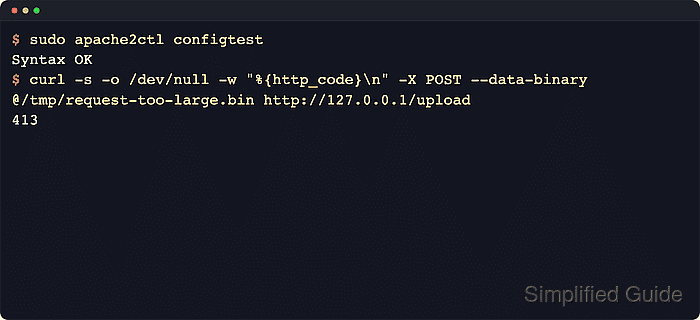
$ sudo apache2ctl configtest
Syntax OK
Some hosts also print the AH00558 server-name warning before Syntax OK; that warning does not block a successful syntax check.
Related: How to test Apache configuration
- Reload the running Apache service to apply the new limit.
$ sudo systemctl reload apache2
Use sudo systemctl reload httpd on most RHEL-family systems.
- Create a test payload that is larger than the configured limit.
$ dd if=/dev/zero of=/tmp/request-too-large.bin bs=1M count=11
11+0 records in
11+0 records out
11534336 bytes (12 MB, 11 MiB) copied, 0.0034825 s, 3.3 GB/s
- Send the oversized payload to a URL covered by the limit and confirm that Apache returns HTTP 413.
$ curl -s -o /dev/null -w "%{http_code}\n" -X POST --data-binary @/tmp/request-too-large.bin http://127.0.0.1/upload
413
If 127.0.0.1 does not hit the same virtual host locally, use the site hostname directly or add a Host header that matches the configured virtual host. HTTP 413 confirms that the request body was rejected before the application handled it.
- Remove the temporary payload after the verification.
$ rm /tmp/request-too-large.bin

Mohd Shakir Zakaria is a cloud architect with deep roots in software development and open-source advocacy. Certified in AWS, Red Hat, VMware, ITIL, and Linux, he specializes in designing and managing robust cloud and on-premises infrastructures.


