Gzip compression shrinks text responses before Apache sends them across the network, which lowers bandwidth use and makes HTML, CSS, JavaScript, JSON, XML, and SVG assets reach the browser faster on slower links.
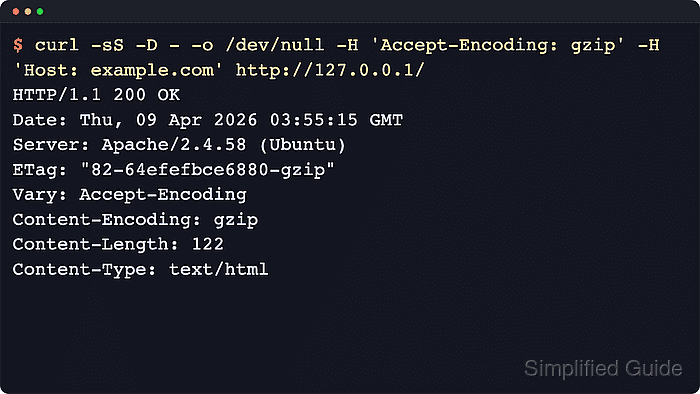
On Apache 2.4, mod_deflate uses the DEFLATE output filter to serve the gzip content coding when the client advertises Accept-Encoding: gzip and the response MIME type matches the configured filter list. When compression is used, Apache returns Content-Encoding: gzip, and mod_deflate also adds Vary: Accept-Encoding so caches keep compressed and uncompressed responses separate.
The steps below follow the Debian and Ubuntu Apache layout with /etc/apache2, the apache2 service unit, and the a2enmod plus a2enconf helper commands. Keep the filter list limited to compressible text content, and remember that HTTPS compression can contribute to BREACH-style side-channel exposure when a response reflects secrets.
Steps to enable gzip compression in Apache:
- Ensure the deflate module is enabled.
$ sudo a2enmod deflate
Considering dependency filter for deflate:
Module filter already enabled
Module deflate already enabled
Current Debian and Ubuntu Apache packages often ship mod_deflate already enabled, so rerunning a2enmod deflate is a safe idempotent check.
- Create a gzip rules file in the conf-available directory.
$ sudo tee /etc/apache2/conf-available/gzip.conf >/dev/null <<'EOF'
<IfModule mod_deflate.c>
    AddOutputFilterByType DEFLATE text/html text/plain text/css text/xml
    AddOutputFilterByType DEFLATE text/javascript application/javascript
    AddOutputFilterByType DEFLATE application/json application/xml image/svg+xml
    AddOutputFilterByType DEFLATE application/xhtml+xml application/rss+xml application/atom+xml
</IfModule>
EOF
Limit the filter list to compressible types; adding JPEG/PNG/ZIP wastes CPU and can increase response size.
mod_deflate already adds Vary: Accept-Encoding for normal gzip negotiation, so no separate mod_headers rule is needed unless compression decisions also depend on another request header such as User-Agent.
- Enable the gzip configuration snippet.
$ sudo a2enconf gzip
Enabling conf gzip.
To activate the new configuration, you need to run:
  service apache2 reload
a2enconf creates the symlink between conf-available and conf-enabled and does not enable missing module dependencies automatically.
- Validate the Apache configuration syntax before applying the new rules.
$ sudo apache2ctl -t
Syntax OK
If Syntax OK is not returned, do not reload; the gzip rules remain unapplied until the configuration error is fixed.
If AH00558 appears before Syntax OK on a fresh host, Apache is warning that no global ServerName is set. Fix that separately, but Syntax OK still means the gzip file parsed successfully.
Related: How to test Apache configuration
- Reload Apache to apply the gzip rules.
$ sudo systemctl reload apache2
If step 1 reported Enabling module deflate instead of already enabled, use sudo systemctl restart apache2 once so Apache loads the newly enabled module.
- Confirm that a text response is served with gzip compression.
$ curl -sS -D - -o /dev/null \
  -H 'Accept-Encoding: gzip' \
  http://127.0.0.1/
HTTP/1.1 200 OK
Date: Sat, 06 Jun 2026 07:28:25 GMT
Server: Apache/2.4.66 (Ubuntu)
Last-Modified: Sat, 06 Jun 2026 07:28:25 GMT
ETag: W/"179b-65390b90dc04f-gzip"
Accept-Ranges: bytes
Vary: Accept-Encoding
Content-Encoding: gzip
Content-Length: 115
Content-Type: text/html
If Content-Encoding: gzip is missing, test a text URL that matches the active virtual host. Use the real hostname in the URL, or add a Host header when testing a name-based virtual host through 127.0.0.1.
Binary assets and content types outside the AddOutputFilterByType list will not be compressed, and a missing Content-Length alone is not a gzip failure because Apache can switch to chunked transfer encoding.
Tool: Gzip Compression Checker

Mohd Shakir Zakaria is a cloud architect with deep roots in software development and open-source advocacy. Certified in AWS, Red Hat, VMware, ITIL, and Linux, he specializes in designing and managing robust cloud and on-premises infrastructures.


