A web server can receive a request for an existing file and still refuse to serve it. On Ubuntu and Debian systems running the packaged apache2 service, resolving Apache's 403 Forbidden response starts with finding the virtual host that served the request.
Apache applies its own access rules, and the operating system separately controls whether an Apache worker can traverse the path and read the file. A request for a directory can also return 403 when directory listings are disabled and no index file matches.
Public downloads can share a virtual host with private files. When restoring a public URL after a configuration or deployment change, check that the private URL still rejects unauthorized requests.
Steps to troubleshoot 403 Forbidden errors in Apache:
- Repeat the failing request from the affected client.
$ curl -i http://downloads.example.net/public/notes.html
HTTP/1.1 403 Forbidden
##### snipped #####
The -i option shows the response headers and body. Substitute your failing URL and use the original method, session, and source network. For a direct connection, curl's -v option shows the destination address and port. If a proxy sits in front of Apache, use the address and port it connects to on Apache.
- List the virtual host bindings in Apache's configuration.
$ sudo apache2ctl -S
Apache matches the destination address and port, then ServerName or ServerAlias, with the first virtual host as fallback. apache2ctl -S and the site files show the configuration on disk, so if a file's modification time is newer than the last
resuming normal operationsentry in Apache's main error log, find out what changed before editing because the running server may still use older rules. - Read the candidate virtual host's configuration file.
$ sudo cat /etc/apache2/sites-available/downloads.conf
A path under /etc/apache2/sites-enabled/ usually links to a file under /etc/apache2/sites-available/. The candidate's CustomLog and ErrorLog name its logs. With DocumentRoot set to /srv/www/downloads, /public/notes.html maps to /srv/www/downloads/public/notes.html. An Alias can map it elsewhere, and a rewrite or proxy rule can send it to an application.
- Identify the serving virtual host from the matching access log entry.
$ sudo tail -n 30 /var/log/apache2/downloads-access.log
##### snipped #####
127.0.0.1 - -
[21/Nov/2026:05:43:17 +0000]
"GET /public/notes.html
HTTP/1.1" 403 487
"-" "curl/8.18.0"
The wrapped entry ties the 403 to the site by client, time, and request. A shared log needs a virtual host field such as
%v. If the entry is missing or names another site, check the receiving instance and its last reload.If the proxied application logged the request, compare its logged path with the full path the matching ProxyPass or rewrite rule should produce. An unexpected path points to routing. The expected path with a backend 403 points to backend policy. If you correct the route or policy, retest the original URL.
- Match the error log entry to the access log request by time and client IP address.
$ sudo tail -n 30 \
    /var/log/apache2/downloads-error.log
[Sat Nov 21
05:43:17.833074 2026]
##### snipped #####
[client 127.0.0.1:49954]
AH01630: client denied by
server configuration:
/srv/www/downloads/
public/notes.html
A request ID ties the entries together if both logs record it. Use the server error log if the site has no ErrorLog. AH01630 signals an authorization denial. If AH01276 reports a missing index with listings disabled, deploy the intended index and retest the directory URL. For a DirectoryIndex change, test syntax and reload first.
- Inspect permissions along the mapped path if Apache serves the resource from disk.
$ sudo namei -l /srv/www/downloads/public/notes.html
AH00035 points to a parent directory the Apache worker cannot traverse. If permissions caused the 403, restore only the missing search (x) or file read (r) access through the intended owner, group, or ACL. After a permissions fix, confirm the Apache worker, usually www-data, can read the file before retrying the original request.
- Locate the candidate Require rule for the denied path.
    <Directory "/srv/www/downloads/public">
        Require all denied
    </Directory>
The AH01630 path falls under this <Directory> block in downloads.conf.
For Require ip, compare the logged address with the allowlist. With AuthzSendForbiddenOnFailure on, check the signed-in account against the user or group rule. If you correct either policy, test syntax and reload after config changes, then retest the affected and an unauthorized request.
- Search the included configuration for authorization directives that cover the denied path.
$ sudo apache2ctl -t \
    -D DUMP_INCLUDES
##### snipped #####
    (225) /etc/apache2/
sites-enabled/downloads.conf
DUMP_INCLUDES lists the files to search for matching <Directory, <Files, <Location and <If sections and their Require and AuthMerging directives. The search includes the path's .htaccess files if AllowOverride or AllowOverrideList permits them.
With the default AuthMerging Off, the public directory's own Require replaces the parent directory's, so the public directory's rule is the one to change here. Later matching sections can replace or combine that rule.
Continue only if the log match is unambiguous, the displayed directory rule caused the 403, and the entire directory is meant to be public.
- Back up the site configuration.
$ sudo cp -p /etc/apache2/sites-available/downloads.conf \
    /etc/apache2/sites-available/downloads.conf.bak
If the edit exposes private content or disrupts access, restore the backup, test syntax, and reload Apache.
- Open the site configuration in your text editor.
$ sudoedit /etc/apache2/sites-available/downloads.conf
- Replace Require all denied with Require all granted in the <Directory> block for /srv/www/downloads/public.
    <Directory "/srv/www/downloads/public">
        Require all granted
    </Directory>
The private sibling /srv/www/downloads/private continues to inherit the parent block's denial.
- Save the site configuration.
- Test the Apache configuration syntax.
$ sudo apache2ctl configtest
Syntax OK
A graceful reload applies all pending Apache configuration changes. Reload only once you have reviewed those changes and the syntax check reports Syntax OK.
- Reload Apache to apply the site configuration.
$ sudo apache2ctl graceful
- Confirm that an unauthorized request to the private URL still returns 403.
$ curl -i http://downloads.example.net/private/notes.html
HTTP/1.1 403 Forbidden
##### snipped #####
- Confirm that the affected request returns the intended response.
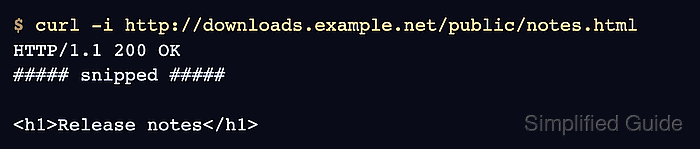
$ curl -i http://downloads.example.net/public/notes.html
HTTP/1.1 200 OK
##### snipped #####

<h1>Release notes</h1>
The public download returns 200 OK and the expected content. For a request that should now succeed, use the same URL, HTTP method, login session or identity, and client network that received the 403.