Remote Apache Cassandra nodes and clients cannot reach a server that still binds only to loopback. Set the internode and client addresses before a node joins its intended cluster so gossip, native transport, and seed entries all point at addresses other systems can reach.
Cassandra uses listen_address for internode gossip and storage traffic, and it uses rpc_address for the native transport listener used by cqlsh and application drivers. broadcast_address and broadcast_rpc_address are advertised addresses, so they matter when the address Cassandra binds is not the address peers or clients should contact.
Use stable private addresses or resolvable hostnames for ordinary cluster traffic, and keep client access behind firewall, VPN, or private-network controls. Set listen_address or listen_interface, not both; never set listen_address to 0.0.0.0. Changing addresses on a populated production node should be planned as maintenance because peers, seed lists, monitoring, firewall rules, and client contact points may all refer to the old address.
Steps to set Apache Cassandra listen addresses:
- Choose the node addresses Cassandra should use.
Use the address other Cassandra nodes can reach for listen_address. Use the address clients can reach for rpc_address, or bind the client listener more broadly only when firewall rules still keep port 9042 off the public internet.
- Stop the cassandra service on the node being changed.
$ sudo systemctl stop cassandra
Do not restart every node at once in an existing cluster. Change one node, wait for it to return as UN, then continue with the next node.
- Back up the Cassandra YAML file.
$ sudo cp -a /etc/cassandra/cassandra.yaml /etc/cassandra/cassandra.yaml.bak
- Open the Cassandra YAML file.
$ sudoedit /etc/cassandra/cassandra.yaml
Package installs commonly use /etc/cassandra/cassandra.yaml. Tarball installs use conf/cassandra.yaml under the Cassandra installation directory.
- Set the internode and client bind addresses.
listen_address: 10.0.0.21
rpc_address: 10.0.0.21

# Leave these commented unless peers or drivers must receive a different address.
# broadcast_address: 10.0.0.21
# broadcast_rpc_address: 10.0.0.21
If rpc_address is set to 0.0.0.0, broadcast_rpc_address must be set to a real address that clients can use.
- Update seed entries that still point at the old address.
If this node is a seed, update the SimpleSeedProvider list on the affected nodes during the same maintenance plan.
Related: How to set Apache Cassandra seed nodes - Start the cassandra service.
$ sudo systemctl start cassandra
A packaged service restart is enough for the new YAML values to take effect. Inspect /var/log/cassandra/system.log if the service fails to start.
Related: How to view Apache Cassandra logs
- Confirm the service is active.
$ sudo systemctl is-active cassandra
active
- Check the local storage and native transport listeners.
$ sudo ss -ltnp '( sport = :7000 or sport = :9042 )'
State  Recv-Q Send-Q Local Address:Port Peer Address:Port Process
LISTEN 0      512       10.0.0.21:7000      0.0.0.0:*     users:(("java",pid=1842,fd=210))
LISTEN 0      4096      10.0.0.21:9042      0.0.0.0:*     users:(("java",pid=1842,fd=278))
Port 7000 is the unencrypted internode storage port by default. Port 9042 is the native transport port for CQL clients.
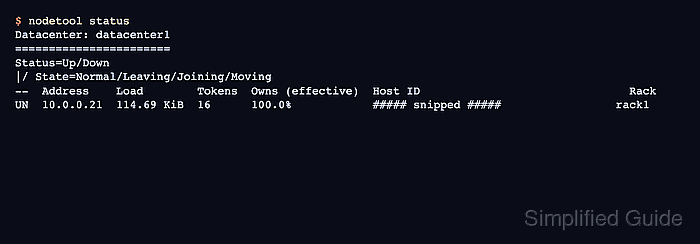
- Verify the node advertises the expected address in the ring.
$ nodetool status
Datacenter: datacenter1
=======================
Status=Up/Down
|/ State=Normal/Leaving/Joining/Moving
--  Address    Load        Tokens  Owns (effective)  Host ID                               Rack
UN  10.0.0.21  114.69 KiB  16      100.0%            b13a5f2e-70c2-4e1a-bc5c-d8d0f0943e91  rack1
The edited node should return as UN with the address chosen for listen_address.
Related: How to check Apache Cassandra cluster status with nodetool - Test the client listener through cqlsh.
$ cqlsh 10.0.0.21 9042 -e "SHOW HOST"
Connected to SG Cluster at 10.0.0.21:9042
Add the usual cqlsh username, password file, or TLS options when authentication or client encryption is enabled.
Related: How to connect to Apache Cassandra with cqlsh

Mohd Shakir Zakaria is a cloud architect with deep roots in software development and open-source advocacy. Certified in AWS, Red Hat, VMware, ITIL, and Linux, he specializes in designing and managing robust cloud and on-premises infrastructures.


