When an Apache Cassandra node starts slowly, leaves the ring, or returns unexpected client errors, the service state alone rarely explains the cause. Cassandra log files show startup checks, gossip changes, compactions, flushes, warnings, errors, and JVM activity on the node being inspected.
Package installs usually write Cassandra logs under /var/log/cassandra. The main file is system.log, while debug.log carries more detailed internal activity and gc.log records JVM garbage-collection events. The exact file targets come from logback.xml through the cassandra.logdir value.
Start with system.log when checking a recent startup, failed restart, topology change, or operational warning. Move to debug.log only when the main log points toward deeper compaction, flush, or streaming detail, because debug logging is much noisier. Containerized Cassandra may expose the same stdout messages through the container runtime, while package-managed Linux nodes normally keep the file logs available for direct review.
Steps to view Apache Cassandra logs:
- Open a terminal on the Cassandra node with permission to read service logs.
- List the Cassandra log files.
$ sudo ls -lh /var/log/cassandra/
total 732K
-rw-r--r-- 1 cassandra cassandra 212K Jun 17 04:35 debug.log
-rw-r--r-- 1 cassandra cassandra 448K Jun 17 04:35 gc.log
-rw-r--r-- 1 cassandra cassandra  71K Jun 17 04:34 system.log
Tarball installs commonly use ${CASSANDRA_HOME}/logs. Linux packages normally relocate the same log files to /var/log/cassandra.
- Open the main Cassandra log.
$ sudo less /var/log/cassandra/system.log
system.log is the first file to review for startup checks, node state changes, schema changes, warnings, and errors.
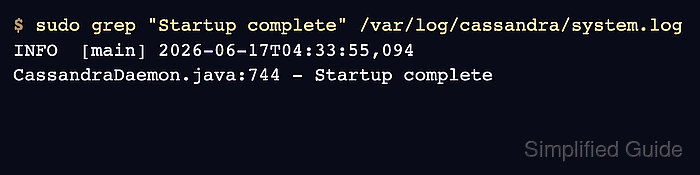
- Confirm that the node reached startup completion when reviewing a recent restart.
$ sudo grep "Startup complete" /var/log/cassandra/system.log
INFO  [main] 2026-06-17T04:33:55,094 CassandraDaemon.java:744 - Startup complete
No match can mean the node has not finished starting, the line is in a rotated log file, or the service failed before Cassandra finished initialization.
- Search the main log for warnings.
$ sudo grep "WARN" /var/log/cassandra/system.log
WARN  [main] 2026-06-17T04:32:59,066 StartupChecks.java:320 - JMX is not enabled to receive remote connections. Please see cassandra-env.sh for more info.
WARN  [main] 2026-06-17T04:32:59,072 StartupChecks.java:555 - Maximum number of memory map areas per process (vm.max_map_count) 262144 is too low, recommended value: 1048575, you can change it with sysctl.
WARN  [main] 2026-06-17T04:32:59,957 SystemKeyspace.java:1265 - No host ID found, created 11111111-2222-3333-4444-555555555555 (Note: This should happen exactly once per node).
No output means the current system.log file has no matching WARN lines. Repeat with ERROR when checking for failures.
- Open the debug log only when the main log points to internal activity that needs more detail.
$ sudo less /var/log/cassandra/debug.log
debug.log can grow quickly on active nodes because it records detailed Cassandra internals such as compactions and memtable flushes.
- Open the JVM garbage-collection log when pauses or heap pressure are part of the investigation.
$ sudo less /var/log/cassandra/gc.log
gc.log helps separate Cassandra-level warnings from JVM pause or memory behavior.
- Check the service journal when the service manager reports a start, stop, or restart problem.
$ sudo journalctl --unit cassandra --since "15 minutes ago"
Jun 17 04:33:47 cassandra-01 cassandra[1842]: Node /10.0.0.10:7000 state jump to NORMAL
Jun 17 04:33:55 cassandra-01 cassandra[1842]: Startup complete
For containerized Cassandra, use the container runtime log command such as docker logs cassandra-01 for stdout messages, then inspect mounted file logs if the deployment keeps them.
- Open the logging configuration when /var/log/cassandra is empty or nonstandard.
$ sudo less /etc/cassandra/logback.xml
Look for cassandra.logdir entries that point to system.log, debug.log, and optional audit/audit.log files. Audit logs appear only when audit logging is enabled and configured.
Related: How to enable Apache Cassandra audit logging

Mohd Shakir Zakaria is a cloud architect with deep roots in software development and open-source advocacy. Certified in AWS, Red Hat, VMware, ITIL, and Linux, he specializes in designing and managing robust cloud and on-premises infrastructures.


