Apache Cassandra uses rack and datacenter labels to decide where replicas live and which nodes handle local reads and writes. Set those labels before a node joins its intended topology so a server in the wrong rack or datacenter does not receive the wrong replica placement.
For the common production snitch, GossipingPropertyFileSnitch, Cassandra reads the local node's topology from the rack/DC properties file and advertises it to peers through gossip. The main YAML configuration must point to that snitch or the rack and datacenter values will not drive node placement.
Use this flow for a new node before it starts as a cluster member, or for a controlled correction in a cluster that already uses the same snitch. Moving an existing node with data into another datacenter or incompatible snitch changes replica placement and needs a planned topology change, not only a label edit.
Steps to configure Apache Cassandra rack and datacenter labels:
- Check the current topology from a running cluster node.
$ nodetool status
Datacenter: DC_EAST
===================
Status=Up/Down
|/ State=Normal/Leaving/Joining/Moving
##### snipped #####
UN  ##### snipped #####  RACK_APP
UN  ##### snipped #####  RACK_APP
Use the existing output to confirm the exact datacenter and rack spelling that the target node should join. The names are case-sensitive.
- Stop Cassandra on the target node.
$ sudo systemctl stop cassandra
Stop the node before changing topology files. A node that starts with the wrong datacenter or rack can gossip that value to peers and appear in the wrong section of nodetool status.
- Back up the Cassandra configuration directory.
$ sudo cp -a /etc/cassandra \
  /etc/cassandra.bak
- Open the Cassandra main configuration file.
$ sudoedit /etc/cassandra/\
cassandra.yaml
- Set endpoint_snitch to GossipingPropertyFileSnitch.
Cassandra blocks incompatible snitch changes after data is inserted because they can cause data loss. Do not use this step as a shortcut for moving a populated cluster from SimpleSnitch or a cloud snitch to another topology model.
- Open the rack and datacenter properties file.
$ sudoedit /etc/cassandra/\
cassandra-rackdc.properties
- Set the target node's datacenter and rack.
dc=DC_EAST
rack=RACK_APP
Choose values that describe this node's intended failure domain. Racks do not have to be physical cabinets, but Cassandra uses them to avoid placing multiple replicas on the same failure group when the replication strategy can do so.
- Start Cassandra on the target node.
$ sudo systemctl start cassandra
- Confirm Cassandra recorded the local topology values.
$ cqlsh
cqlsh> SELECT data_center, rack
   ... FROM system.local;

 data_center | rack
-------------+----------
     DC_EAST | RACK_APP

(1 rows)
Add the normal cqlsh host, username, password, or TLS options when client authentication or encryption is enabled.
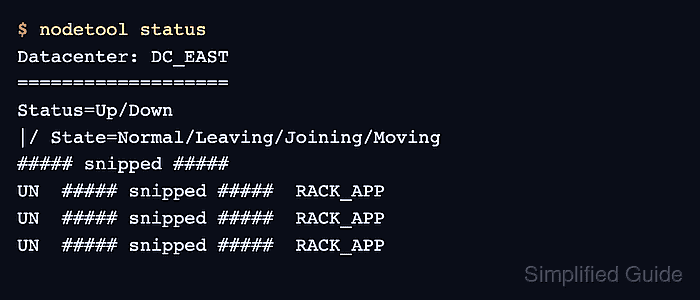
- Verify the node appears in the intended datacenter and rack from the cluster view.
$ nodetool status
Datacenter: DC_EAST
===================
Status=Up/Down
|/ State=Normal/Leaving/Joining/Moving
##### snipped #####
UN  ##### snipped #####  RACK_APP
UN  ##### snipped #####  RACK_APP
UN  ##### snipped #####  RACK_APP
The target node should show UN under the intended Datacenter heading and the intended value in the Rack column.

Mohd Shakir Zakaria is a cloud architect with deep roots in software development and open-source advocacy. Certified in AWS, Red Hat, VMware, ITIL, and Linux, he specializes in designing and managing robust cloud and on-premises infrastructures.


