Installing Anaconda Distribution on a Red Hat-family Linux host gives each user a local conda base environment without replacing the distribution Python that dnf and system tools use. The current Linux installer supports Red Hat Enterprise Linux, AlmaLinux, Rocky Linux 8 or later, CentOS Stream releases with glibc 2.28 or newer, and Fedora systems that match the published Linux architecture.
Anaconda publishes shell installers per architecture from repo.anaconda.com, and Red Hat-family packages only supply the basic download, certificate, and extraction tools around that installer. Installing under $HOME/anaconda3 keeps conda in the user's profile and avoids placing Anaconda's Python ahead of system Python for every user.
Silent mode with -b and -p creates repeatable install logs and skips installer prompts, so review the Anaconda legal terms before running it. conda init bash changes ~/.bashrc for the current user; run the dry-run form first on managed shell profiles, and install the optional X11, OpenGL, and ALSA libraries only when Anaconda Navigator must run on a minimal desktop.
Related: Install Miniconda
Related: How to initialize Conda for a shell
Related: How to disable automatic activation of the Conda base environment
Related: How to uninstall Anaconda
Steps to install Anaconda Distribution on Red Hat-family Linux:
- Open a terminal with sudo privileges.
- Install the base tools needed by the installer.
$ sudo dnf install --assumeyes bzip2 ca-certificates
Red Hat Enterprise Linux 9 minimal systems commonly include curl-minimal, which provides the curl command. If curl is not present, install curl-minimal or curl according to the package policy on the host.
- Check the CPU architecture.
$ uname -m
aarch64
Use the Linux-aarch64 installer when this command returns aarch64. Use the Linux-x86_64 installer when it returns x86_64.
- Download the current Anaconda Distribution Linux installer for aarch64.
$ curl --fail --location --remote-name https://repo.anaconda.com/archive/Anaconda3-2025.12-2-Linux-aarch64.sh
For x86_64, use https://repo.anaconda.com/archive/Anaconda3-2025.12-2-Linux-x86_64.sh instead. If the archive lists a newer installer, use the matching filename and hash for the detected architecture.
- Verify the installer hash against the official archive entry.
$ sha256sum Anaconda3-2025.12-2-Linux-aarch64.sh
be13a20f31d82508a061984fa3555369cfd8e4692643721415c19e7dc2e9e0f9  Anaconda3-2025.12-2-Linux-aarch64.sh
Do not run the installer when the local hash differs from the value listed for the same filename at repo.anaconda.com/archive. A mismatch means the file is incomplete, stale, or not the archive entry selected for this host.
- Review Anaconda's legal terms before running silent mode.
https://anaconda.com/legal
- Install Anaconda Distribution into the current user's home directory.
$ bash ./Anaconda3-2025.12-2-Linux-aarch64.sh -b -p "$HOME/anaconda3"
PREFIX=/home/user/anaconda3
Unpacking bootstrapper...
Unpacking payload...
Installing base environment...
installation finished.
Use an empty destination such as $HOME/anaconda3. Pointing the installer at an existing conda prefix can damage environments that are already in use. Current Linux installers require glibc 2.28 or newer, so RHEL 7 and CentOS 7 need an older archived installer instead.
- Activate conda in the current terminal.
$ source "$HOME/anaconda3/bin/activate"
- Initialize conda for future Bash sessions.
$ conda init bash
modified      /home/user/.bashrc

==> For changes to take effect, close and re-open your current shell. <==
conda init bash updates the current user's ~/.bashrc. Run conda init bash --dry-run first when the profile is managed by configuration tools.
Related: How to initialize Conda for a shell
Related: How to disable automatic activation of the Conda base environment - Open a new terminal window.
- Confirm that the shell can run conda.
$ conda --version
conda 25.11.1
The exact version changes with the installer release. The command should run without command not found.
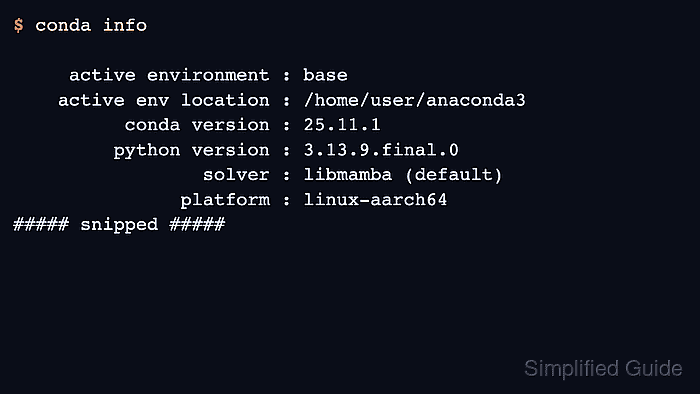
- Confirm that the base environment is in the user's Anaconda directory.
$ conda info active environment : base active env location : /home/user/anaconda3 conda version : 25.11.1 python version : 3.13.9.final.0 solver : libmamba (default) platform : linux-aarch64 ##### snipped ##### - Run a local Python smoke test from the Anaconda environment.
$ python -c "import sys; print(sys.version.split()[0])"
3.13.9
- Remove the downloaded installer after the install is verified.
$ rm Anaconda3-2025.12-2-Linux-aarch64.sh
This removes only the shell installer in the current directory. It does not remove the Anaconda installation under $HOME/anaconda3.

Mohd Shakir Zakaria is a cloud architect with deep roots in software development and open-source advocacy. Certified in AWS, Red Hat, VMware, ITIL, and Linux, he specializes in designing and managing robust cloud and on-premises infrastructures.


