Package updates can leave a Conda environment importable but wrong for a project, especially when a solver changed a core library or dependency build. Conda records package transactions as environment revisions, so a named environment can be moved back to an earlier Conda-managed package state instead of rebuilt from scratch.
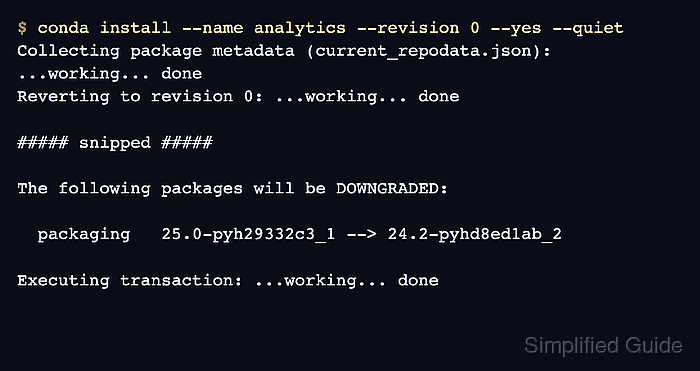
Revision rollback starts from the environment history shown by conda list with --revisions. The chosen revision number is passed to conda install with --revision, and Conda creates a new transaction that reverses the package changes needed to match that earlier revision.
Only Conda-managed package state is covered by the revision log. Files created by notebooks, databases, cache directories, manual edits, or package managers outside Conda need their own backup or restore path before the environment is treated as recovered.
Steps to roll back a Conda environment revision:
- List the revision history for the target environment.
$ conda list --name analytics --revisions
2026-06-16 01:10:46  (rev 0)
    +_openmp_mutex-4.5 (conda-forge/linux-aarch64)
    +bzip2-1.0.8 (conda-forge/linux-aarch64)
##### snipped #####
    +packaging-24.2 (conda-forge/noarch)
    +python-3.13.14 (conda-forge/linux-aarch64)

2026-06-16 01:10:55  (rev 1)
     packaging  {24.2 (conda-forge/noarch) -> 25.0 (conda-forge/noarch)}
Replace analytics with the environment name to recover. Choose the revision immediately before the failed install, update, or removal.
- Save the current explicit package list before changing the environment.
$ conda list --name analytics --explicit > analytics-before-rollback.txt
The explicit file records the current Conda package URLs for audit or rebuild work. It does not back up notebooks, project data, database files, or packages installed outside Conda.
- Preview the selected rollback revision.
$ conda install --name analytics --revision 0 --dry-run --quiet
Collecting package metadata (current_repodata.json): ...working... done
Reverting to revision 0: ...working... done

## Package Plan ##

  environment location: /opt/conda/envs/analytics

The following packages will be DOWNGRADED:

  packaging                               25.0-pyh29332c3_1 --> 24.2-pyhd8ed1ab_2

DryRunExit: Dry run. Exiting.
If the package changes do not match the expected recovery point, stop and choose a different revision number.
- Apply the rollback to the selected revision.
$ conda install --name analytics --revision 0 --yes --quiet
Collecting package metadata (current_repodata.json): ...working... done
Reverting to revision 0: ...working... done

## Package Plan ##

  environment location: /opt/conda/envs/analytics

The following packages will be DOWNGRADED:

  packaging                               25.0-pyh29332c3_1 --> 24.2-pyhd8ed1ab_2

Preparing transaction: ...working... done
Verifying transaction: ...working... done
Executing transaction: ...working... done
Stop notebooks, kernels, and jobs that are actively using the environment before applying the rollback. The transaction can remove, downgrade, or relink packages under that environment prefix.
- Verify that the expected package version is restored.
$ conda list --name analytics packaging
# packages in environment at /opt/conda/envs/analytics:
#
# Name                     Version          Build            Channel
packaging                  24.2             pyhd8ed1ab_2     conda-forge
- Check that Conda recorded the rollback as a new revision.
$ conda list --name analytics --revisions
2026-06-16 01:10:46  (rev 0)
    +_openmp_mutex-4.5 (conda-forge/linux-aarch64)
##### snipped #####
    +packaging-24.2 (conda-forge/noarch)
    +python-3.13.14 (conda-forge/linux-aarch64)

2026-06-16 01:10:55  (rev 1)
     packaging  {24.2 (conda-forge/noarch) -> 25.0 (conda-forge/noarch)}

2026-06-16 01:11:41  (rev 2)
     packaging  {25.0 (conda-forge/noarch) -> 24.2 (conda-forge/noarch)}
The new revision preserves the rollback action in history. It does not erase the failed update entry.
- Run a small smoke test through the recovered environment.
$ conda run --name analytics python -c "import packaging; print(packaging.__version__)"
24.2
Use the project import, notebook kernel, test command, or application start command that originally failed after the update.

Mohd Shakir Zakaria is a cloud architect with deep roots in software development and open-source advocacy. Certified in AWS, Red Hat, VMware, ITIL, and Linux, he specializes in designing and managing robust cloud and on-premises infrastructures.


