A Conda environment that must be recreated with the same package builds can drift if the target machine resolves package names again. An explicit Conda spec records package URLs and the platform that produced them, so a same-platform rebuild can use the same package records instead of solving from loose names.
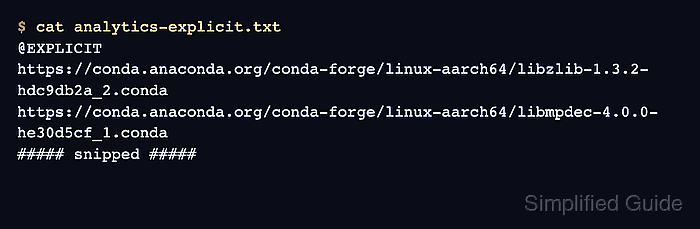
Current Conda can write this CEP 23 explicit format with conda export and --format=explicit. The file starts with @EXPLICIT and package URLs, and it normally includes a comment such as # platform: linux-aarch64 to show where the spec was created. Older Conda releases can write the same format with conda list --name analytics --explicit > analytics-explicit.txt.
Explicit specs are for the same operating system platform and architecture. Use a YAML export when another machine should resolve compatible packages for its own platform, and use an explicit spec only when the target machine can reach the same package URLs and channel terms have already been handled.
Steps to export an explicit Conda environment spec:
- Open a terminal where Conda is available.
- List the available environments and choose the source environment.
$ conda env list

# conda environments:
#
base                     /opt/conda
analytics                /opt/conda/envs/analytics
Replace analytics in the following commands with the environment that already runs the project correctly.
Related: How to list Anaconda environments - Export the source environment as an explicit spec file.
$ conda export --name analytics --format=explicit --file analytics-explicit.txt
conda export with --file can overwrite an existing file at the same path. Use a new filename when preserving an earlier spec matters.
- Inspect the explicit spec marker and platform line.
$ cat analytics-explicit.txt
# This file may be used to create an environment using:
# $ conda create --name <env> --file <this file>
# platform: linux-aarch64
# created-by: conda 26.3.2
@EXPLICIT
https://conda.anaconda.org/conda-forge/linux-aarch64/libzlib-1.3.2-hdc9db2a_2.conda
https://conda.anaconda.org/conda-forge/linux-aarch64/libmpdec-4.0.0-he30d5cf_1.conda
##### snipped #####
The @EXPLICIT line identifies the file as an explicit package URL spec. The platform comment should match the platform that will recreate the environment.
- Run a dry-run recreate check on a matching platform.
$ conda create --name analytics-restored --file analytics-explicit.txt --dry-run

DryRunExit: Dry run. Exiting.
If channel policy blocks the dry run, resolve the listed channel access or Terms of Service issue before using the spec for a real recreate. For a spec exported from a non-default channel, add the same channel flags used by the source environment.
- Store the spec file with the project or release artifact that needs the exact environment.
Keep the filename tied to the project, platform, and build or release context, such as analytics-linux-aarch64-explicit.txt.

Mohd Shakir Zakaria is a cloud architect with deep roots in software development and open-source advocacy. Certified in AWS, Red Hat, VMware, ITIL, and Linux, he specializes in designing and managing robust cloud and on-premises infrastructures.


