Removing the wrong Conda environment can delete the packages and activation files a project still needs. A safe removal starts by matching the environment name or prefix, checking whether it is active, and confirming that base or another shared environment is not the target.
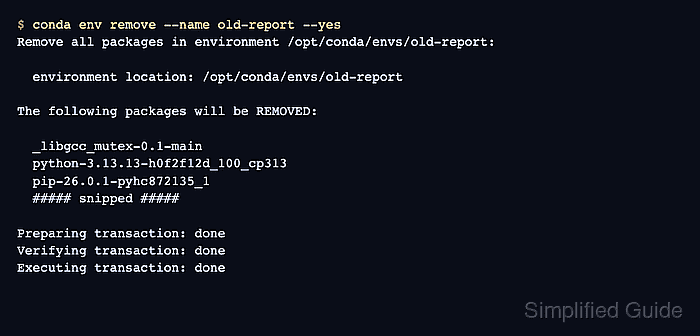
conda env remove deletes the selected environment prefix. Current Conda also supports conda remove with --name old-report --all, but the environment-specific command keeps the intent clear when the task is to remove the whole environment rather than one package.
Anything stored inside the environment directory is removed with it, while project files outside that prefix, the package cache, and other environments remain. Export the environment first if a rebuild record is needed, and clean package caches separately only when reclaiming downloaded-package space matters.
Related: How to list Anaconda environments
Related: How to export a Conda environment to YAML
Related: How to clean the Conda package cache
Steps to remove an Anaconda environment:
- List the environments and identify the target name or prefix.
$ conda info --envs

# conda environments:
#
# * -> active
# + -> frozen
base                     /opt/conda
old-report               /opt/conda/envs/old-report
The asterisk marks the active environment. Do not remove base or an environment that is still active in the current terminal.
Related: How to list Anaconda environments - Deactivate the target environment if it is active.
(old-report) $ conda deactivate
$
Conda requires the environment to be deactivated before removal. Open a new terminal if nested activation makes the active marker unclear.
Related: How to activate a Conda environment - Remove the environment by name.
$ conda env remove --name old-report --yes
Remove all packages in environment /opt/conda/envs/old-report:

## Package Plan ##

  environment location: /opt/conda/envs/old-report

The following packages will be REMOVED:

  _libgcc_mutex-0.1-main
  _openmp_mutex-5.1-51_gnu
  python-3.13.13-h0f2f12d_100_cp313
  pip-26.0.1-pyhc872135_1
  ##### snipped #####

Preparing transaction: done
Verifying transaction: done
Executing transaction: done
--yes skips Conda's confirmation prompts, including the prompt that deletes non-Conda files inside the environment prefix. Omit it when the package plan or environment path needs a manual confirmation. For a path-based environment, use --prefix /full/path/to/environment instead of --name old-report.
- Verify that the environment is no longer listed.
$ conda info --envs

# conda environments:
#
# * -> active
# + -> frozen
base                     /opt/conda
The removed environment should not appear by name or by prefix. The base environment and any other environments remain available.

Mohd Shakir Zakaria is a cloud architect with deep roots in software development and open-source advocacy. Certified in AWS, Red Hat, VMware, ITIL, and Linux, he specializes in designing and managing robust cloud and on-premises infrastructures.


