Repeated Conda installs, upgrades, and environment rebuilds can leave downloaded packages and index data in the package cache. Cleaning the cache reclaims disk space while keeping existing environments in place when the cleanup is limited to unused cache entries.
The active package cache locations appear in conda info under package cache. Those paths can differ between Anaconda, Miniconda, shared installations, and user-level configuration, so checking them first shows where the cleanup applies.
The conda clean --all command removes index cache, lock files, unused cached packages, cached tarballs, and log files. Preview the cleanup before confirming it, and avoid --force-pkgs-dirs for routine work because it removes all writable package cache directories and can break environments that use package-cache symlinks.
Steps to clean Conda package cache:
- List the active Conda cache locations.
$ conda info active environment : base user config file : /home/user/.condarc base environment : /opt/conda (writable) package cache : /opt/conda/pkgs /home/user/.conda/pkgs envs directories : /opt/conda/envs /home/user/.conda/envs ##### snipped ##### - Preview the cache cleanup.
$ conda clean --all --dry-run

DryRunExit: Dry run. Exiting.

Will remove 4 (655 KB) tarball(s).
Will remove 1 index cache(s).
Will remove 4 (2.5 MB) package(s).
There are no tempfile(s) to remove.
There are no logfile(s) to remove.
--dry-run reports what Conda would delete without changing the cache.
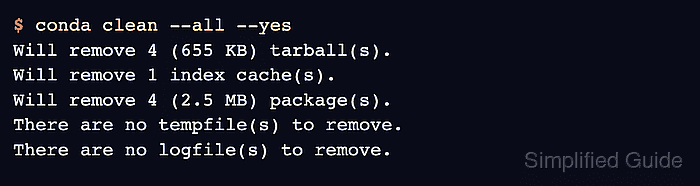
- Remove the unused cache entries.
$ conda clean --all --yes
Will remove 4 (655 KB) tarball(s).
Will remove 1 index cache(s).
Will remove 4 (2.5 MB) package(s).
There are no tempfile(s) to remove.
There are no logfile(s) to remove.
Do not add --force-pkgs-dirs unless the entire writable package cache must be removed. That option is not included in --all and can break symlinked environments.
- Verify that Conda no longer reports unused cache entries.
$ conda clean --all --dry-run

DryRunExit: Dry run. Exiting.

There are no unused tarball(s) to remove.
There are no index cache(s) to remove.
There are no unused package(s) to remove.
There are no tempfile(s) to remove.
There are no logfile(s) to remove.

Mohd Shakir Zakaria is a cloud architect with deep roots in software development and open-source advocacy. Certified in AWS, Red Hat, VMware, ITIL, and Linux, he specializes in designing and managing robust cloud and on-premises infrastructures.


