Removing a package from the wrong Conda environment can leave the project environment unchanged while breaking a different notebook or command shell. Target the environment by name so Conda removes the package from the intended prefix instead of whichever environment happens to be active.
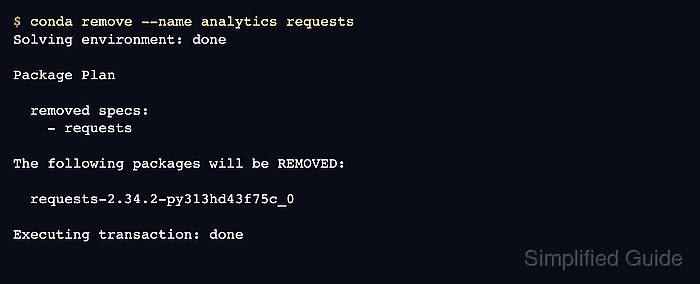
conda remove builds a transaction plan before it changes the environment. The plan can include the requested package and related packages that are no longer needed, so review the package list before confirming the removal.
Use package removal when the environment should stay in place. The --all option removes all packages and the environment itself, and --force-remove can leave an inconsistent environment, so keep those options out of a normal package cleanup.
Steps to remove a package from an Anaconda environment with Conda:
- Open a terminal where Conda is available.
- Check the package record in the target environment.
$ conda list --name analytics requests
# packages in environment at /opt/conda/envs/analytics:
#
# Name                     Version          Build            Channel
requests                   2.34.2           py313hd43f75c_0
Replace analytics with the environment name and requests with the package to remove. If the package appears with a pypi channel or was installed with pip, remove it from inside the same environment with pip uninstall instead.
Related: How to list packages in an Anaconda environment - Remove the package from the target environment.
$ conda remove --name analytics requests
Channels:
 - defaults
Platform: linux-aarch64
Collecting package metadata (repodata.json): done
Solving environment: done

## Package Plan ##

  environment location: /opt/conda/envs/analytics

  removed specs:
    - requests

The following packages will be REMOVED:

  brotlicffi-1.2.0.0-py313h5b11e9f_0
  cffi-2.0.0-py313h2d8c4a8_1
  charset-normalizer-3.4.4-py313hd43f75c_0
  idna-3.18-py313hd43f75c_0
  pycparser-3.0-py313hd43f75c_0
  pysocks-1.7.1-py313hd43f75c_1
  requests-2.34.2-py313hd43f75c_0
  urllib3-2.7.0-py313hd43f75c_0

Proceed ([y]/n)? y
Executing transaction: done
Cancel the transaction if the plan lists packages that the project still needs. Do not add --all unless the whole environment should be deleted.
Related: How to remove an Anaconda environment - Confirm that Conda no longer lists the package.
$ conda list --name analytics requests

CondaValueError: No packages match 'requests'.

Mohd Shakir Zakaria is a cloud architect with deep roots in software development and open-source advocacy. Certified in AWS, Red Hat, VMware, ITIL, and Linux, he specializes in designing and managing robust cloud and on-premises infrastructures.


