How to disable animations for XCUITest
XCUITest waits for the application under test to become idle, but app-owned animations can still make screen transitions harder to assert consistently. A test-only launch flag lets the UI test start the app in a faster mode while normal debug, TestFlight, and App Store launches keep the usual animation behavior.
The switch has to be handled by the app process because XCUIApplication only passes arguments and environment values into the launched application. Add the flag before launch(), read it during app startup, and disable the animation layer before the first scene or view controller appears.
UIView.setAnimationsEnabled(false) disables subsequent UIKit animation blocks, but it does not automatically remove every custom timing path in the app. Route explicit SwiftUI or custom animation choices through the same test-mode helper when those transitions are the ones making a UI test flaky.
Steps to disable animations for XCUITest:
- Add a test-mode helper to the app target.
enum UITestMode {
    static let disableAnimationsArgument = "-UITestDisableAnimations"

    static var disablesAnimations: Bool {
        ProcessInfo.processInfo.arguments.contains(disableAnimationsArgument)
    }
}
Keep this helper in the app target or in a small shared source file that is compiled into the app. A launch argument set only in the UI test target has no effect unless the app reads it after launch.
- Disable UIKit animations during app startup.
import SwiftUI
import UIKit

@main
struct MyApp: App {
    init() {
        if UITestMode.disablesAnimations {
            UIView.setAnimationsEnabled(false)
        }
    }

    var body: some Scene {
        WindowGroup {
            ContentView()
        }
    }
}
For UIKit app delegates, put the same UIView.setAnimationsEnabled(false) check near the start of application(_:didFinishLaunchingWithOptions:).
- Gate explicit SwiftUI animations that still delay the tested transition.
.animation(
    UITestMode.disablesAnimations ? nil : .easeInOut(duration: 0.35),
    value: isShowingWelcome
)
Use this only for app-owned animations that are part of the tested path. System animations, keyboard movement, alerts, and simulator behavior can still need normal XCUITest waits.
- Pass the launch flag before the UI test starts the app.
import XCTest

final class LoginUITests: XCTestCase {
    func testLoginWithoutAnimationDelay() {
        let app = XCUIApplication()
        app.launchArguments.append("-UITestDisableAnimations")
        app.launch()

        app.buttons["Sign In"].tap()

        let welcome = app.staticTexts["Welcome"]
        XCTAssertTrue(welcome.waitForExistence(timeout: 2))
    }
}
launchArguments must be set before app.launch(). Relaunch the app if a later test needs a different startup mode.
- Run the targeted UI test from Xcode or xcodebuild.
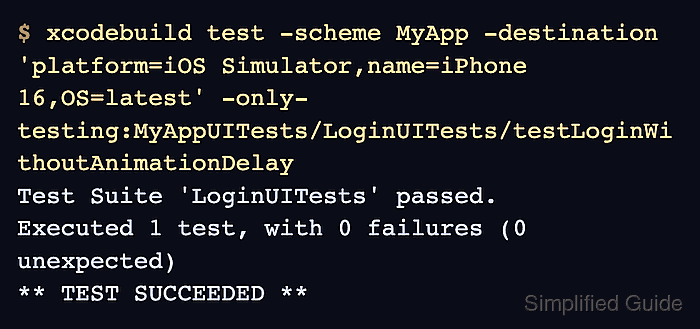
$ xcodebuild test \
  -project MyApp.xcodeproj \
  -scheme MyApp \
  -destination 'platform=iOS Simulator,name=iPhone 16,OS=latest' \
  -only-testing:MyAppUITests/LoginUITests/testLoginWithoutAnimationDelay
Test Suite 'LoginUITests' passed.
Executed 1 test, with 0 failures (0 unexpected)
** TEST SUCCEEDED **
A passing run proves the app honored the startup flag and the test no longer depends on a fixed animation delay. Keep normal element waits for network work, asynchronous data loading, and UI states that remain asynchronous after animations are disabled.