How to check domain privacy with whois
Checking domain privacy matters when a renewal review, acquisition screen, abuse report, or legal handoff depends on knowing whether public registration data exposes a registrant or only a protected contact route. A WHOIS and RDAP pass should end with a classification, not with copied contact details.
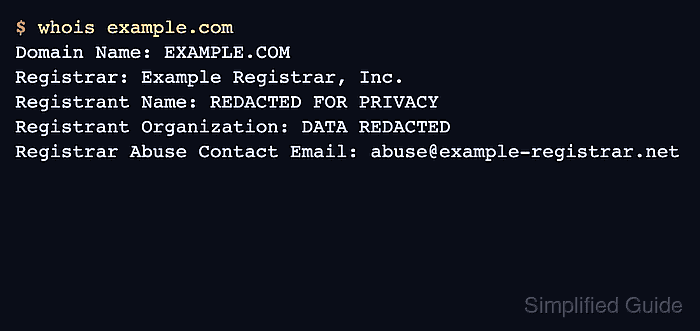
Modern gTLD registration lookup is RDAP-first, while legacy WHOIS can still show the registry record, registrar name, registrar WHOIS server, status codes, and abuse contact. The privacy signal usually appears in registrant, administrative, or technical contact fields, or in RDAP entity remarks such as REDACTED FOR PRIVACY.
Privacy service, proxy service, policy redaction, and a thin registry response are different outcomes. Treat the lookup as public evidence only, use the registrar contact or disclosure process for authorized requests, and sanitize any visible person-level data before sharing results.
Related: How to query a domain with whois
Related: How to check a domain registrar with whois
Related: How to sanitize whois contact data
Steps to check domain privacy with whois:
- Query the registry-side WHOIS record and identify the registrar path.
$ whois -h whois.verisign-grs.com example.com
   Domain Name: EXAMPLE.COM
   Registrar WHOIS Server: whois.example-registrar.net
   Registrar: Example Registrar, Inc.
   Registrar Abuse Contact Email: abuse@example-registrar.net
##### snipped #####
Use the registry WHOIS server for the domain's TLD when known. For another TLD, find the authoritative WHOIS server first or run the plain whois example.com lookup and follow the referral it returns.
Related: How to query a domain with whois
Related: How to find a TLD WHOIS server - Check whether the WHOIS output already shows a privacy or redaction signal.
Registrant Name: REDACTED FOR PRIVACY
Registrant Organization: DATA REDACTED
Registrant Email: REDACTED FOR PRIVACY
Common signals include REDACTED FOR PRIVACY, DATA REDACTED, Privacy Protect, Domains By Proxy, WhoisGuard, and registrar-specific contact forms. Different registries use different labels, so classify the state from the field role and value together.
- Use the registrar RDAP response when the registry WHOIS record is thin or does not show registrant contact fields.
$ curl -fsSL https://rdap.example-registrar.net/domain/example.com | python3 -m json.tool
{
    "ldhName": "example.com",
    "entities": [
        {
            "roles": [
                "registrant"
            ],
            "remarks": [
                {
                    "title": "REDACTED FOR PRIVACY",
                    "type": "object redacted due to authorization"
                }
            ]
        }
    ]
}
Replace the sample URL with the RDAP link or registrar lookup endpoint from the registry response. RDAP entity roles make it clearer whether a visible value belongs to the registrar, registrant, technical contact, abuse contact, or another role.
Related: How to query RDAP for a domain
- Classify the public privacy state from the registrant contact result.
Direct registrant visible: registrant name, organization, email, phone, or address is public
Privacy or proxy service: a service organization is listed instead of the underlying registrant
Policy redaction: registrant entity exists, but fields or remarks show REDACTED FOR PRIVACY
Thin or incomplete public record: registry record has registrar data but no useful registrant fields
Do not treat redaction or a privacy service as proof that the domain is malicious. It only describes what public registration data exposes.
- Record the public contact path without copying private or person-level data.
Registrar Abuse Contact Email: abuse@example-registrar.net
Registrant contact URI: https://contact.example-registrar.net/domain/example.com
Registrar abuse contacts, registrar contact forms, and authorized disclosure processes are the normal public path when registrant details are hidden.
- Write the result as a short classification.
Domain: example.com
Privacy state: policy redaction
Evidence: registrant entity contains REDACTED FOR PRIVACY
Public contact path: registrar abuse contact and RDAP contact URI
Do not publish: visible registrant email, phone, or street address
Related: How to sanitize whois contact data
- Verify that the classification answers the check.
A complete result names one state: direct registrant visible, privacy/proxy service, policy redaction, or no useful public registrant fields. It also records the public contact path to use next and excludes any private contact data from shared notes.