How to configure default options in ~/.wgetrc
Repeated wget jobs often need the same retry policy, pacing, proxy choice, or request headers. Putting those stable defaults in /$HOME/.wgetrc/ keeps ad-hoc commands and scheduled downloads aligned and removes repeated flags from scripts and shell history.
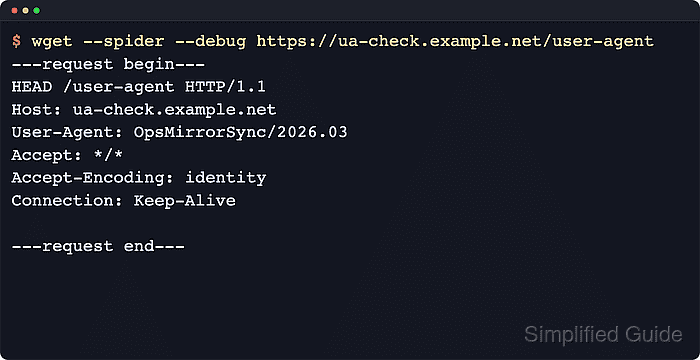
GNU wget loads a compiled-in system startup file first and then the user startup file, so the account-level file overrides the global policy when both define the same setting. For isolated testing, current GNU Wget can load a different startup file with --config=FILE or the WGETRC environment variable instead of changing the real user profile immediately.
Keep the saved profile narrow. Conservative defaults such as retry counts, timeouts, wait intervals, and a deliberate User-Agent are good candidates for /$HOME/.wgetrc/, while passwords, certificate bypasses, and other high-risk overrides are better kept in /$HOME/.netrc/, a temporary startup file, or a one-off troubleshooting command.
Steps to configure default options in ~/.wgetrc:
- Draft the defaults in a preview file before promoting them into the account profile.
wget-preview.wgetrc
# Preview the defaults before promoting them into ~/.wgetrc.
user_agent = MirrorAuditSync/2026.06
tries = 5
timeout = 20
wait = 1
Wgetrc syntax is variable = value. Command names are case-, hyphen-, and underscore-insensitive.
- Load the preview file explicitly and confirm that a visible directive took effect.
$ wget --config=wget-preview.wgetrc -qO- https://httpbin.org/user-agent
{
  "user-agent": "MirrorAuditSync/2026.06"
}
Use a deliberately visible setting such as user_agent for the preview so the result is easy to confirm before the real profile changes.
- Copy the tested defaults into the real user startup file.
~/.wgetrc
# Stable defaults for recurring downloads.
user_agent = MirrorAuditSync/2026.06
tries = 5
timeout = 20
wait = 1
Add only the options that should apply to every later wget command from that account.
- Restrict the file after saving it so only the current account can read or modify it.
$ chmod 600 ~/.wgetrc
Leave passwords and other secrets out of a long-lived default profile when possible. Use /$HOME/.netrc/ or a temporary startup file for those cases instead.
- Run wget without extra header or timeout flags and confirm that the saved default is active.
$ wget -qO- https://httpbin.org/user-agent
{
  "user-agent": "MirrorAuditSync/2026.06"
}
A matching value confirms that ordinary commands are reading /$HOME/.wgetrc/.
- Skip the saved profile when a clean baseline is needed for debugging.
$ wget --no-config -qO- https://httpbin.org/user-agent
{
  "user-agent": "Wget/1.25.0"
}
--no-config bypasses both the system startup file and the user startup file, which makes it the fastest way to compare built-in behavior with the saved defaults.