How to send custom headers with wget
Custom request headers let wget reproduce API calls, test gateway rules, or reach downloads that depend on request metadata beyond the URL alone. Sending the header in the same command keeps the transfer, request options, and response handling in one CLI workflow.
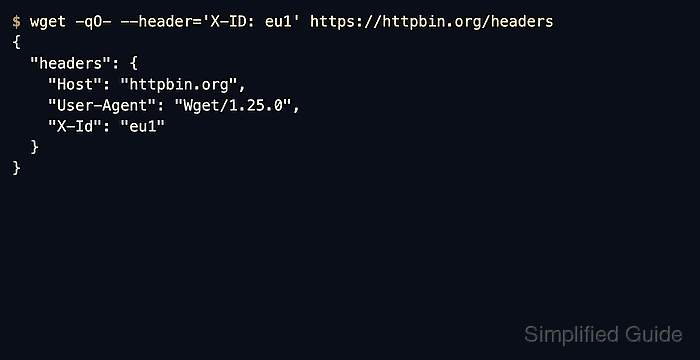
GNU wget sends each --header value exactly as written. Repeating --header adds more headers to the same request, and the GNU Wget manual also documents that an empty --header clears earlier user-defined headers in the same command.
Custom headers can expose credentials, session cookies, and internal routing values. Quote the full header line, keep secret-bearing commands out of shared shell history and logs when possible, and confirm the echoed request before assuming the remote service rejected the right header set.
Related: How to authenticate with a bearer token in wget
Related: How to use custom cookies with wget
Related: How to set a custom referer in wget
Tool: Wget Command Generator
Steps to send custom headers with wget:
- Send one custom header and confirm that the server receives it.
$ wget -qO- --header='X-ID: eu1' \
  https://httpbin.org/headers
{
  "headers": {
    "Accept": "*/*",
    "Accept-Encoding": "identity",
    "Host": "httpbin.org",
    "User-Agent": "Wget/1.25.0",
    ##### snipped
    "X-Id": "eu1"
  }
}
Each --header option must contain the full header line, including the field name, the colon, and the value. The snipped line is a dynamic trace header added by httpbin infrastructure, not a header sent by wget.
- Add more headers by repeating --header in the same command.
$ wget -qO- --header='X-ID: eu1' \
  --header='X-Role: sync' \
  https://httpbin.org/headers
{
  "headers": {
    "Accept": "*/*",
    "Accept-Encoding": "identity",
    "Host": "httpbin.org",
    "User-Agent": "Wget/1.25.0",
    ##### snipped
    "X-Id": "eu1",
    "X-Role": "sync"
  }
}
Repeat the option once per header instead of packing unrelated fields into one long string.
- Clear earlier user-defined headers with an empty --header before sending the final header set.
$ wget -qO- --header='X-ID: stage' \
  --header='' \
  --header='X-ID: prod' \
  https://httpbin.org/headers
{
  "headers": {
    "Accept": "*/*",
    "Accept-Encoding": "identity",
    "Host": "httpbin.org",
    "User-Agent": "Wget/1.25.0",
    ##### snipped
    "X-Id": "prod"
  }
}
An empty --header removes the user-defined headers added earlier in the same command, which is useful when a copied command or shell alias started with the wrong custom fields.