How to add wait and random delays between wget requests
Batch wget runs can send a URL list to the same host back-to-back when no pacing option is set. Adding a wait between retrievals reduces burst traffic, makes scheduled pulls easier to align with published rate policies, and gives log reviewers a visible gap between requests.
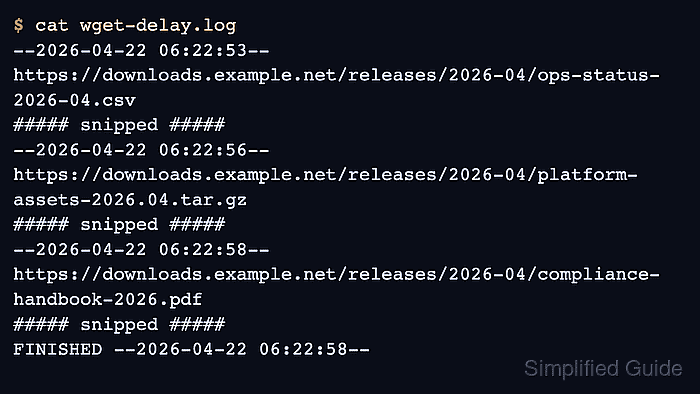
GNU wget pauses between completed retrievals with --wait=SECONDS. Adding --random-wait changes each delay to a random value from 0.5 to 1.5 times that base wait, so --wait=2 --random-wait produces roughly one-to-three-second gaps instead of the same two-second pause every time.
The delay applies between files, not while one file is transferring, and --waitretry solves a different problem by spacing retries after failures. Save a log for the first paced run before moving the same policy into cron or another unattended job, because the log timestamps show whether the observed request cadence matches the remote service expectation.
Steps to add wait and random delays between wget requests:
- Create the URL list so one pacing policy applies to the whole batch.
$ cat > urls.txt <<'EOF'
https://downloads.example.net/releases/ops.csv
https://downloads.example.net/releases/assets.tgz
https://downloads.example.net/releases/guide.pdf
EOF
One URL per line keeps the retrieval order explicit and makes later reruns easier to audit. Related: How to download files from a list with wget
- Run wget with a base wait, randomized pacing, and a dedicated log file.
$ wget --wait=2 --random-wait --input-file=urls.txt --directory-prefix=downloads --output-file=wget-delay.log
--random-wait needs a positive --wait value to produce a useful pacing window. --output-file preserves the request timestamps after the terminal scrollback is gone.
- Review the log and confirm the request starts are separated instead of landing on the same second.
$ cat wget-delay.log
--2026-06-06 01:57:16--  https://downloads.example.net/releases/ops.csv
##### snipped #####
--2026-06-06 01:57:18--  https://downloads.example.net/releases/assets.tgz
##### snipped #####
--2026-06-06 01:57:20--  https://downloads.example.net/releases/guide.pdf
##### snipped #####
FINISHED --2026-06-06 01:57:20--
Total wall clock time: 4.3s
Downloaded: 3 files, 49 in 0s (4.86 MB/s)
With --wait=2 enabled, --random-wait keeps each pause inside the one-to-three-second window instead of repeating one fixed gap.
- Verify that the batch produced the expected files before another script consumes the directory.
$ ls -1 downloads
assets.tgz
guide.pdf
ops.csv
A complete file list plus the spaced timestamps in wget-delay.log confirms both the transfers and the pacing policy.
- Add the same pacing defaults to /$HOME/.wgetrc when the same account should reuse them automatically.
~/.wgetrc
wait = 2
random_wait = on
random_wait = on is the startup-file form of --random-wait. Command-line values still override the startup file for one-off runs. Related: How to configure default options in ~/.wgetrc