How to capture VLAN-tagged traffic with tcpdump
VLAN-tagged captures answer whether 802.1Q tags are visible at the capture point. That distinction matters when checking trunk ports, switch mirrors, Linux bridges, virtual switches, and VLAN subinterfaces that may remove or hide tags before tcpdump prints a frame.
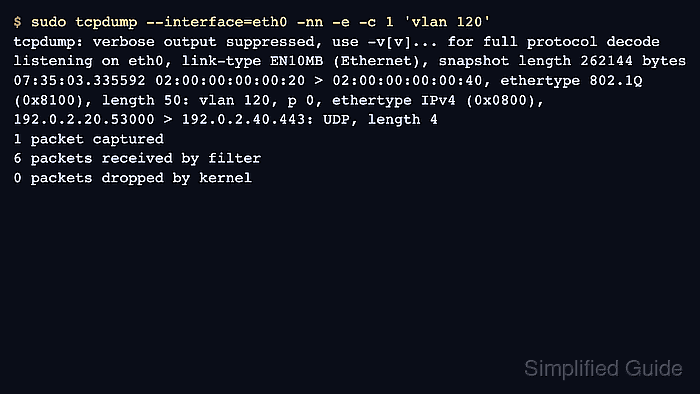
The vlan filter matches tagged Ethernet frames when the VLAN header is still present in the packet data delivered to tcpdump. Add -e so the link-layer header is printed; without it, an IP packet inside a VLAN can look like ordinary IP traffic in the terminal.
No visible tag does not always mean the network is untagged. The capture may be running on a VLAN subinterface after tag handling, the switch mirror may be stripping tags, or offload behavior may hide metadata that a lower capture point or hardware tap would preserve.
Steps to capture VLAN-tagged traffic with tcpdump:
- Identify the lower interface that owns the VLAN subinterface.
$ ip -d link show eth0.120
14: eth0.120@eth0: <BROADCAST,MULTICAST,UP,LOWER_UP> mtu 1500 qdisc noqueue state UP mode DEFAULT group default qlen 1000
    link/ether 02:00:00:00:00:40 brd ff:ff:ff:ff:ff:ff promiscuity 0 allmulti 0 minmtu 0 maxmtu 65535
    vlan protocol 802.1Q id 120 <REORDER_HDR> addrgenmode eui64 numtxqueues 1 numrxqueues 1
##### snipped #####
The eth0.120@eth0 relationship means VLAN 120 is attached to the lower interface eth0.
- Capture a bounded tagged sample on the lower interface.
$ sudo tcpdump --interface=eth0 -nn -e -c 1 'vlan 120'
tcpdump: verbose output suppressed, use -v[v]... for full protocol decode
listening on eth0, link-type EN10MB (Ethernet), snapshot length 262144 bytes
07:35:03.335592 02:00:00:00:00:20 > 02:00:00:00:00:40, ethertype 802.1Q (0x8100), length 50: vlan 120, p 0, ethertype IPv4 (0x0800), 192.0.2.20.53000 > 192.0.2.40.443: UDP, length 4
1 packet captured
6 packets received by filter
0 packets dropped by kernel
- Verify that the lower-interface output shows both ethertype 802.1Q and vlan 120.
- Use a broader VLAN filter when the expected VLAN ID is uncertain.
$ sudo tcpdump --interface=eth0 -nn -e -c 3 'vlan'
tcpdump: verbose output suppressed, use -v[v]... for full protocol decode
listening on eth0, link-type EN10MB (Ethernet), snapshot length 262144 bytes
07:35:03.335592 02:00:00:00:00:20 > 02:00:00:00:00:40, ethertype 802.1Q (0x8100), length 50: vlan 120, p 0, ethertype IPv4 (0x0800), 192.0.2.20.53000 > 192.0.2.40.443: UDP, length 4
##### snipped #####
Use vlan without an ID first when the trunk or mirror may carry several VLANs and the tag number is part of the question.
- Capture on the VLAN interface when the goal is IP troubleshooting inside that VLAN.
$ sudo tcpdump --interface=eth0.120 -nn -c 1 'udp and host 192.0.2.20'
tcpdump: verbose output suppressed, use -v[v]... for full protocol decode
listening on eth0.120, link-type EN10MB (Ethernet), snapshot length 262144 bytes
07:36:25.738936 IP 192.0.2.20.53000 > 192.0.2.40.443: UDP, length 4
1 packet captured
1 packet received by filter
0 packets dropped by kernel
The lower interface is better for proving tag presence. The VLAN interface is often better for troubleshooting IP traffic that the host has already associated with VLAN 120.
- Move the capture point when known VLAN traffic never shows an ethertype 802.1Q line on the lower interface.
Missing tags usually point to the wrong interface, a switch mirror that strips tags, a virtual-switch handoff, or tag handling before tcpdump sees the frame.