Tcpdump captures can look empty when packets cross a different interface than the one being watched. Multi-homed servers, VPN tunnels, bridges, containers, and loopback services all make interface choice part of the evidence, not a cosmetic option.
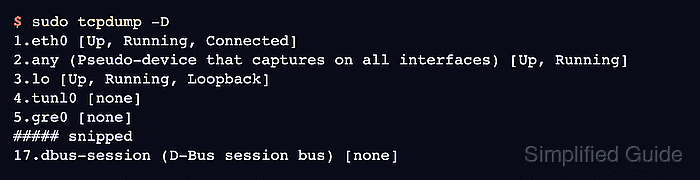
Start with the interfaces tcpdump can open, then compare them with the route the kernel would use for the destination. A routed peer usually points to a physical or virtual interface such as eth0, while local-only traffic usually belongs on lo.
The Linux any pseudo-device is useful when the first capture point is uncertain, but it changes the link-layer view. Use any for discovery, then rerun the capture on the exact interface when Ethernet headers, MAC addresses, VLAN tags, or a physical port matter.
Steps to select a capture interface in tcpdump:
- List the interfaces tcpdump can open.
$ sudo tcpdump -D
1.eth0 [Up, Running, Connected]
2.any (Pseudo-device that captures on all interfaces) [Up, Running]
3.lo [Up, Running, Loopback]
4.tunl0 [none]
5.gre0 [none]
##### snipped
17.dbus-session (D-Bus session bus) [none]
- Check the interface for a routed destination.
$ ip route get 203.0.113.20
203.0.113.20 via 192.0.2.1 dev eth0 src 192.0.2.40 uid 1000
    cache
The dev value is the first capture candidate for traffic to that destination.
- Check loopback separately when the service is local to the host.
$ ip route get 127.0.0.1 local 127.0.0.1 dev lo src 127.0.0.1 uid 1000 cache <local> - Run a short capture on the selected interface while the target traffic is active.
$ sudo tcpdump --interface=lo -nn -c 2 icmp
tcpdump: verbose output suppressed, use -v[v]... for full protocol decode
listening on lo, link-type EN10MB (Ethernet), snapshot length 262144 bytes
07:12:13.196643 IP 127.0.0.1 > 127.0.0.1: ICMP echo request, id 25, seq 1, length 64
07:12:13.196646 IP 127.0.0.1 > 127.0.0.1: ICMP echo reply, id 25, seq 1, length 64
2 packets captured
4 packets received by filter
0 packets dropped by kernel
The sample output comes from local ICMP traffic. Replace lo and icmp with the selected interface and filter for the traffic being tested.
- Use any only when the first pass does not show the expected traffic.
$ sudo tcpdump --interface=any -nn -c 3 host 203.0.113.20
tcpdump: data link type LINUX_SLL2
tcpdump: listening on any, link-type LINUX_SLL2 (Linux cooked v2), snapshot length 262144 bytes
Do not use any as final evidence for Ethernet headers or VLAN tags. Cooked captures can hide or rewrite link-layer fields.

Mohd Shakir Zakaria is a cloud architect with deep roots in software development and open-source advocacy. Certified in AWS, Red Hat, VMware, ITIL, and Linux, he specializes in designing and managing robust cloud and on-premises infrastructures.


