How to save traffic to a PCAP file using tcpdump
Saving tcpdump traffic to a PCAP file preserves packet evidence after the live capture window ends. It is the right choice when the same packet flow must be shared, opened in Wireshark, attached to a ticket, or compared after a maintenance or incident test.
The -w option writes raw packets to a capture file instead of printing decoded packets to the terminal. tcpdump does not require a filename extension, but .pcap makes the saved file easier for tools and people to recognize, and the same file can be checked later with -r.
PCAP files can contain payload bytes, internal addresses, service ports, hostnames, and timing details. Capture only the interface, peer, port, and duration needed, then keep the file in a restricted location if it will remain as diagnostic or incident evidence.
Steps to save traffic to a PCAP file using tcpdump:
- Identify the capture interface.
$ sudo tcpdump -D
1.eth0 [Up, Running, Connected]
2.any (Pseudo-device that captures on all interfaces) [Up, Running]
3.lo [Up, Running, Loopback]
- Write a bounded capture to a PCAP file.
$ sudo tcpdump --interface=eth0 -nn -c 4 -w /tmp/web-capture.pcap 'host 203.0.113.20 and tcp port 443'
tcpdump: listening on eth0, link-type EN10MB (Ethernet), snapshot length 262144 bytes
4 packets captured
4 packets received by filter
0 packets dropped by kernel
Omit -c 4 when the capture must run for a full test window, then stop it with Ctrl-C.
- Confirm that the file is a valid PCAP.
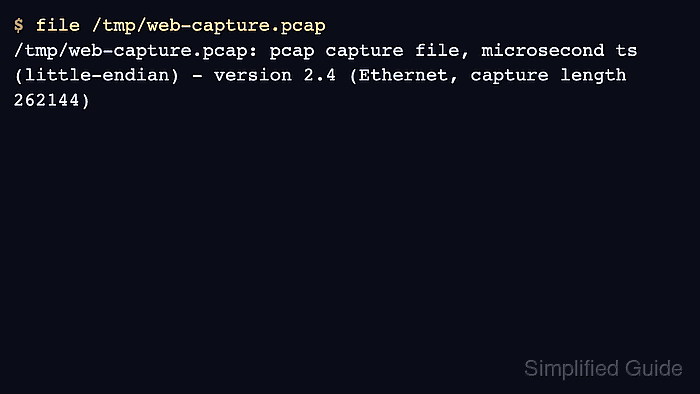
$ file /tmp/web-capture.pcap
/tmp/web-capture.pcap: pcap capture file, microsecond ts (little-endian) - version 2.4 (Ethernet, capture length 262144)
- Read a few packets from the saved file before sharing it.
$ tcpdump -nn -r /tmp/web-capture.pcap -c 3
reading from file /tmp/web-capture.pcap, link-type EN10MB (Ethernet), snapshot length 262144
10:38:25.543211 IP 192.0.2.40.49582 > 203.0.113.20.443: Flags [S], seq 123456789, win 64240, length 0
10:38:25.557104 IP 203.0.113.20.443 > 192.0.2.40.49582: Flags [S.], ack 123456790, win 65160, length 0
10:38:25.557149 IP 192.0.2.40.49582 > 203.0.113.20.443: Flags [.], ack 1, win 502, length 0
Reading a saved PCAP does not require capture privileges, but the file permissions still have to allow the current user to open it.