Packet captures that run past the test window bury the relevant packets in extra traffic. A fixed packet count makes tcpdump stop by itself after enough matching packets appear for a short ticket update, terminal transcript, or scripted check.
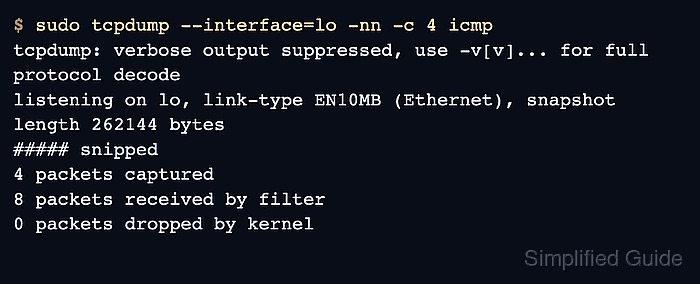
Tcpdump uses -c to stop after the selected number of packets has been received or read. A narrow host, port, or protocol expression may wait longer than an unfiltered capture on a busy interface because only packets that reach tcpdump can move the capture toward the limit.
A count-limited capture proves that matching traffic appeared during the capture window. It does not prove traffic is absent unless the capture overlaps a controlled request, ping, client action, or other known test event.
Steps to capture a fixed number of packets with tcpdump:
- Choose the interface and traffic that should produce the packets. For a local ICMP test, loopback is the interface and icmp is the capture expression.
$ ip route get 127.0.0.1 local 127.0.0.1 dev lo src 127.0.0.1 uid 1000 cache <local> - Start a count-limited capture in one terminal. Leave it running while the next step generates traffic.
$ sudo tcpdump --interface=lo -nn -c 4 icmp
tcpdump: verbose output suppressed, use -v[v]... for full protocol decode
listening on lo, link-type EN10MB (Ethernet), snapshot length 262144 bytes
- Generate the matching traffic while the capture is running.
$ ping -c 2 127.0.0.1
PING 127.0.0.1 (127.0.0.1) 56(84) bytes of data.
64 bytes from 127.0.0.1: icmp_seq=1 ttl=64 time=0.078 ms
64 bytes from 127.0.0.1: icmp_seq=2 ttl=64 time=0.025 ms

--- 127.0.0.1 ping statistics ---
2 packets transmitted, 2 received, 0% packet loss, time 1002ms
rtt min/avg/max/mdev = 0.025/0.051/0.078/0.026 ms
- Return to the tcpdump terminal and confirm it stopped at the selected count.
07:20:01.978303 IP 127.0.0.1 > 127.0.0.1: ICMP echo request, id 30, seq 1, length 64
07:20:01.978311 IP 127.0.0.1 > 127.0.0.1: ICMP echo reply, id 30, seq 1, length 64
07:20:02.980231 IP 127.0.0.1 > 127.0.0.1: ICMP echo request, id 30, seq 2, length 64
07:20:02.980236 IP 127.0.0.1 > 127.0.0.1: ICMP echo reply, id 30, seq 2, length 64
4 packets captured
8 packets received by filter
0 packets dropped by kernel
On loopback captures, packets received by filter can be higher than packets captured. The 4 packets captured line is the stop condition from -c 4.
- Increase the count when the first packets only show connection setup.
$ sudo tcpdump --interface=eth0 -nn -c 30 'host 203.0.113.20 and tcp port 443'
tcpdump: listening on eth0, link-type EN10MB (Ethernet), snapshot length 262144 bytes
##### snipped
30 packets captured
30 packets received by filter
0 packets dropped by kernel
- Save the same bounded capture when packet data needs offline review.
$ sudo tcpdump --interface=lo -nn -c 4 -w /tmp/icmp-count.pcap icmp
tcpdump: listening on lo, link-type EN10MB (Ethernet), snapshot length 262144 bytes
4 packets captured
8 packets received by filter
0 packets dropped by kernel
Store incident evidence outside /tmp if the PCAP file must survive reboot or cleanup.

Mohd Shakir Zakaria is a cloud architect with deep roots in software development and open-source advocacy. Certified in AWS, Red Hat, VMware, ITIL, and Linux, he specializes in designing and managing robust cloud and on-premises infrastructures.


