Long packet captures need storage bounds before they start. Rotation lets tcpdump split evidence by time, size, or file count so a diagnostic run does not fill a filesystem or create one enormous PCAP.
Tcpdump rotates by time with -G and by size with -C. The -W option stops a time-based run after the selected number of files, but with size rotation it creates a ring buffer that overwrites from the beginning.
Choose rotation settings from the evidence window, expected traffic rate, and available disk space. On Debian and Ubuntu packages, tcpdump commonly drops privileges before opening save files, so the output directory must remain writable by the tcpdump user or group.
Steps to rotate PCAP files with tcpdump:
- Create the capture directory with permissions that still work after privilege drop.
$ sudo install -d -m 0770 -o root -g tcpdump /var/tmp/tcpdump-captures
- Rotate capture files by time and stop after a fixed number of files.
$ sudo tcpdump --interface=lo -nn -G 1 -W 3 -w '/var/tmp/tcpdump-captures/icmp-%Y%m%d%H%M%S.pcap' icmp
tcpdump: listening on lo, link-type EN10MB (Ethernet), snapshot length 262144 bytes
Maximum file limit reached: 3
11 packets captured
24 packets received by filter
0 packets dropped by kernel
Replace lo, icmp, and the one-second interval with the production interface, capture filter, and retention window. With -G, use a strftime pattern in the filename so each interval gets a unique file.
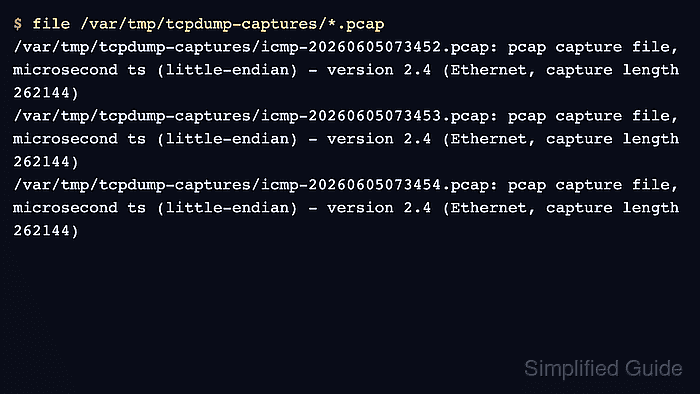
- Verify that the time-rotated files exist and are valid PCAP files.
$ file /var/tmp/tcpdump-captures/*.pcap
/var/tmp/tcpdump-captures/icmp-20260605073452.pcap: pcap capture file, microsecond ts (little-endian) - version 2.4 (Ethernet, capture length 262144)
/var/tmp/tcpdump-captures/icmp-20260605073453.pcap: pcap capture file, microsecond ts (little-endian) - version 2.4 (Ethernet, capture length 262144)
/var/tmp/tcpdump-captures/icmp-20260605073454.pcap: pcap capture file, microsecond ts (little-endian) - version 2.4 (Ethernet, capture length 262144)
- Read one rotated file before handing it off.
$ tcpdump -nn -r /var/tmp/tcpdump-captures/icmp-20260605073453.pcap -c 2
reading from file /var/tmp/tcpdump-captures/icmp-20260605073453.pcap, link-type EN10MB (Ethernet), snapshot length 262144
07:34:52.991713 IP 127.0.0.1 > 127.0.0.1: ICMP echo request, id 49, seq 1, length 64
07:34:52.991719 IP 127.0.0.1 > 127.0.0.1: ICMP echo reply, id 49, seq 1, length 64
- Rotate by size when file size is the retention boundary.
$ sudo tcpdump --interface=lo -nn -C 1 -W 3 -c 40 -w /var/tmp/tcpdump-captures/icmp-size.pcap icmp
tcpdump: listening on lo, link-type EN10MB (Ethernet), snapshot length 262144 bytes
40 packets captured
80 packets received by filter
0 packets dropped by kernel
With -C, size is measured in 1,000,000-byte units and -W creates numbered files such as icmp-size.pcap0, icmp-size.pcap1, and icmp-size.pcap2.
- Check the size-rotated ring buffer files.
$ file /var/tmp/tcpdump-captures/icmp-size.pcap*
/var/tmp/tcpdump-captures/icmp-size.pcap0: pcap capture file, microsecond ts (little-endian) - version 2.4 (Ethernet, capture length 262144)
/var/tmp/tcpdump-captures/icmp-size.pcap1: pcap capture file, microsecond ts (little-endian) - version 2.4 (Ethernet, capture length 262144)
/var/tmp/tcpdump-captures/icmp-size.pcap2: pcap capture file, microsecond ts (little-endian) - version 2.4 (Ethernet, capture length 262144)
Do not combine -C, -G, and -W when the file count is the storage guard. Current tcpdump treats -W differently in that combination and does not use it as a normal retention limit.

Mohd Shakir Zakaria is a cloud architect with deep roots in software development and open-source advocacy. Certified in AWS, Red Hat, VMware, ITIL, and Linux, he specializes in designing and managing robust cloud and on-premises infrastructures.


