How to list systemd services using systemctl
Listing systemd services shows which service units the running manager currently has loaded in memory. That is useful after boot, during troubleshooting, or before checking one specific service more closely.
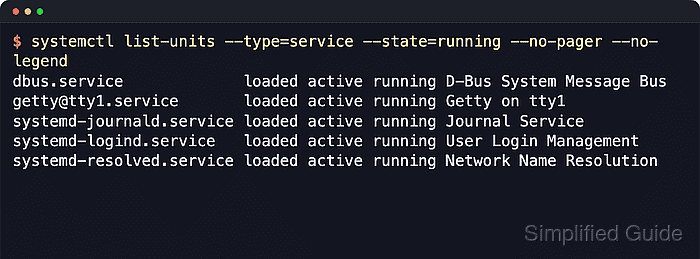
The systemctl list-units –type=service command asks the active systemd manager for service units and reports their LOAD, ACTIVE, and SUB states. This is the runtime view, so it answers which services are currently known to the manager rather than which service unit files merely exist on disk.
By default, list-units shows services that are active, have pending jobs, or failed recently. Adding --all expands that to loaded inactive services too, but it still does not become a full installed-service inventory. Uninstantiated templates such as foo@.service stay out of the list until an instance is loaded, and per-user services belong to the separate systemctl --user manager.
Steps to list systemd services using systemctl:
- Open a terminal session on the Linux host that uses systemd.
The commands below are read-only and normally do not require sudo.
- List the service units currently loaded into the running manager.
$ systemctl list-units --type=service --no-pager
  UNIT                      LOAD   ACTIVE SUB     DESCRIPTION
  cron.service              loaded active running Regular background program processing daemon
  dbus.service              loaded active running D-Bus System Message Bus
  getty@tty1.service        loaded active running Getty on tty1
  systemd-journald.service  loaded active running Journal Service
  systemd-logind.service    loaded active running User Login Management
  systemd-networkd.service  loaded active running Network Configuration
  systemd-resolved.service  loaded active running Network Name Resolution
##### snipped #####
49 loaded units listed. Pass --all to see loaded but inactive units, too.
To show all installed unit files use 'systemctl list-unit-files'.
LOAD shows whether the unit definition was loaded, ACTIVE is the broad state, and SUB is the service-specific runtime state.
- Show only running services when the goal is the current daemon set.
$ systemctl list-units --type=service --state=running --no-pager --no-legend
cron.service              loaded active running Regular background program processing daemon
dbus.service              loaded active running D-Bus System Message Bus
getty@tty1.service        loaded active running Getty on tty1
systemd-journald.service  loaded active running Journal Service
systemd-logind.service    loaded active running User Login Management
systemd-networkd.service  loaded active running Network Configuration
systemd-resolved.service  loaded active running Network Name Resolution
systemd-udevd.service     loaded active running Rule-based Manager for Device Events and Files
Add --no-legend when the list is being copied into notes or a follow-up command.
- Add --all when inactive but loaded services also need to be visible.
$ systemctl list-units --type=service --all --no-pager
  UNIT                      LOAD      ACTIVE   SUB     DESCRIPTION
  apport-autoreport.service loaded    inactive dead    Process error reports when automatic reporting is enabled
  apt-daily-upgrade.service loaded    inactive dead    Daily apt upgrade and clean activities
  apt-daily.service         loaded    inactive dead    Daily apt download activities
  cron.service              loaded    active   running Regular background program processing daemon
  dbus.service              loaded    active   running D-Bus System Message Bus
  systemd-journald.service  loaded    active   running Journal Service
  systemd-logind.service    loaded    active   running User Login Management
  systemd-resolved.service  loaded    active   running Network Name Resolution
##### snipped #####
159 loaded units listed.
To show all installed unit files use 'systemctl list-unit-files'.
--all expands the in-memory view only. Services that are installed but not currently loaded still require systemctl list-unit-files.
- Filter the current service inventory by name or state when the list is too broad.
$ systemctl list-units --type=service 'systemd-*' --state=running --no-pager --no-legend
systemd-journald.service loaded active running Journal Service
systemd-logind.service   loaded active running User Login Management
systemd-networkd.service loaded active running Network Configuration
systemd-resolved.service loaded active running Network Name Resolution
systemd-udevd.service    loaded active running Rule-based Manager for Device Events and Files
Quote glob patterns so the shell passes them to systemctl unchanged. Pattern matching only considers primary unit names that are currently in memory.
- Switch to the installed service-unit inventory when the target service does not appear because it is not currently loaded.
$ systemctl list-unit-files --type=service 'systemd-network*' --no-pager --no-legend
systemd-network-generator.service     disabled enabled
systemd-networkd-wait-online.service  enabled  enabled
systemd-networkd-wait-online@.service disabled enabled
systemd-networkd.service              enabled  enabled
This is the on-disk unit-file view, so it can show installed services and templates that list-units does not currently have in memory.