How to create a systemd path unit
Path units let systemd start work when a file or directory reaches a specific state instead of running only at boot or on a timer. They fit jobs such as reacting to a changed configuration file, processing files dropped into a queue directory, or starting a task when a marker file appears.
A *.path unit watches an absolute path and starts a service when the configured condition is met. The example below watches /etc/path-demo/input.txt with PathChanged=, so systemd starts path-demo.service after the file is written and closed.
Path units rely on the kernel inotify interface, so they are best for local filesystem changes rather than remote updates made through another NFS client. A triggered oneshot service usually returns to inactive (dead) after it finishes, while the *.path unit stays in active (waiting) until the next matching change. For per-user watches, place the units in /~/.config/systemd/user and use systemctl --user.
Steps to create a systemd path unit:
- Create the directory that will hold the watched file.
$ sudo mkdir -p /etc/path-demo
- Create the file that the path unit will watch.
$ sudo touch /etc/path-demo/input.txt
The watched path should already exist before normal use so the first trigger is easy to test.
- Create the service unit that should run after the file changes.
[Unit]
Description=Record changes to /etc/path-demo/input.txt

[Service]
Type=oneshot
ExecStart=/bin/sh -c 'date --iso-8601=seconds >> /var/log/path-demo-trigger.log'
A oneshot service works well for short follow-up tasks such as reloading an application, copying a file, or recording an event.
- Create the path unit that watches the file.
[Unit]
Description=Watch /etc/path-demo/input.txt for changes

[Path]
PathChanged=/etc/path-demo/input.txt

[Install]
WantedBy=paths.target
PathChanged= fires after the file is written and closed. Use PathExists= when the service should run as soon as a path exists, PathModified= when every write matters, and DirectoryNotEmpty= for queue-style directories. Add Unit=other.service when the triggered service should not use the same basename as the path unit.
- Verify that both unit files parse cleanly before reloading the manager.
$ sudo systemd-analyze verify /etc/systemd/system/path-demo.service /etc/systemd/system/path-demo.path
No output means systemd accepted the unit syntax and the relationship between the files.
- Reload the systemd manager so it notices the new unit files.
$ sudo systemctl daemon-reload
- Enable and start the path unit.
$ sudo systemctl enable --now path-demo.path
Created symlink /etc/systemd/system/paths.target.wants/path-demo.path -> /etc/systemd/system/path-demo.path.
Enable the *.path unit, not the *.service unit. The service is started automatically when the watched path matches the configured condition.
- Confirm that the path unit is active and waiting for changes.
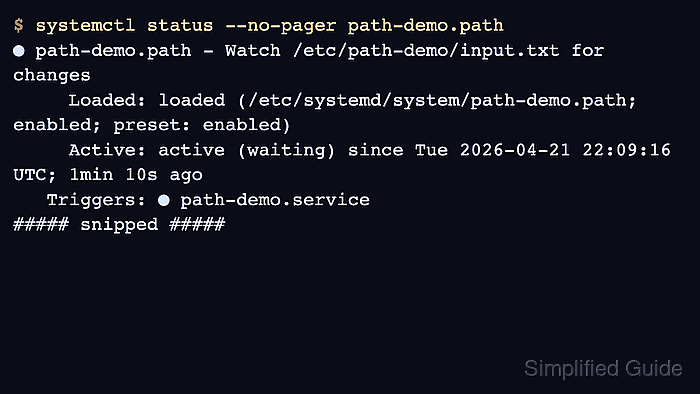
$ systemctl status --no-pager path-demo.path
● path-demo.path - Watch /etc/path-demo/input.txt for changes
     Loaded: loaded (/etc/systemd/system/path-demo.path; enabled; preset: enabled)
     Active: active (waiting) since Tue 2026-04-21 22:09:16 UTC; 1min 10s ago
   Triggers: ● path-demo.service
##### snipped #####
The active (waiting) state is the decisive success check for the path unit itself.
- Touch the watched file to trigger the service once.
$ sudo touch /etc/path-demo/input.txt
Updating the file timestamp is enough to change the path state and fire PathChanged= after the write closes.
- Read the trigger log to confirm that the service ran after the file change.
$ sudo cat /var/log/path-demo-trigger.log
2026-04-21T22:18:14+00:00
If the log stays empty, inspect journalctl -u path-demo.path -u path-demo.service for the failure. A successful oneshot service normally returns to inactive (dead) again after it exits.