How to create a Symfony form
Symfony forms sit between browser input and PHP data objects. A dedicated form type keeps field definitions, validation mapping, and rendering behavior out of the controller, which is useful once a page needs more than one or two inputs.
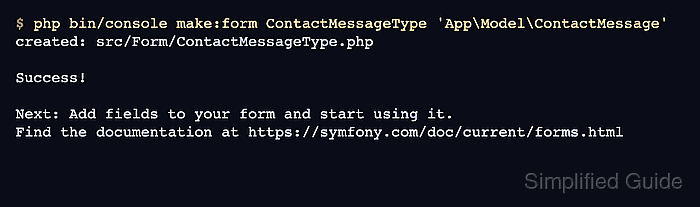
MakerBundle can generate a reusable form type from a bound class, then the generated type can be refined with explicit field classes and labels. The contact form here uses a small model object, a controller route, a Twig template, and the normal form submission flow.
Start from a Symfony project that already contains bin/console, MakerBundle, Form, Validator, Twig, and PHPUnit support. Keep CSRF protection enabled for browser forms; the smoke test submits the rendered form through Symfony BrowserKit instead of bypassing the token with a raw POST.
Related: How to create a Symfony controller
Related: How to create a Twig template in Symfony
Related: How to add Symfony validation rules
Steps to create a Symfony form:
- Open a terminal in the Symfony project root that contains bin/console.
- Create the form data object.
- ContactMessage.php
<?php

namespace App\Model;

use Symfony\Component\Validator\Constraints as Assert;

final class ContactMessage
{
    #[Assert\NotBlank]
    public ?string $name = null;

    #[Assert\NotBlank]
    #[Assert\Email]
    public ?string $email = null;

    #[Assert\NotBlank]
    #[Assert\Length(min: 10)]
    public ?string $message = null;
}
The model can be a Doctrine entity, a DTO, or another PHP object. The validation attributes are read when the submitted form is validated.
- Generate a form type for the model.
$ php bin/console make:form ContactMessageType 'App\Model\ContactMessage'
created: src/Form/ContactMessageType.php

Success!

Next: Add fields to your form and start using it.
Find the documentation at https://symfony.com/doc/current/forms.html
- Edit the generated form type.
- ContactMessageType.php
<?php

namespace App\Form;

use App\Model\ContactMessage;
use Symfony\Component\Form\AbstractType;
use Symfony\Component\Form\Extension\Core\Type\EmailType;
use Symfony\Component\Form\Extension\Core\Type\SubmitType;
use Symfony\Component\Form\Extension\Core\Type\TextareaType;
use Symfony\Component\Form\FormBuilderInterface;
use Symfony\Component\OptionsResolver\OptionsResolver;

class ContactMessageType extends AbstractType
{
    public function buildForm(FormBuilderInterface $builder, array $options): void
    {
        $builder
            ->add('name')
            ->add('email', EmailType::class)
            ->add('message', TextareaType::class)
            ->add('send', SubmitType::class, [
                'label' => 'Send message',
            ])
        ;
    }

    public function configureOptions(OptionsResolver $resolver): void
    {
        $resolver->setDefaults([
            'data_class' => ContactMessage::class,
        ]);
    }
}
The data_class option binds submitted values back to ContactMessage. Explicit field types make the email input, textarea, and submit button predictable instead of relying only on type guessing.
- Create the controller action that renders and handles the form.
- ContactController.php
<?php

namespace App\Controller;

use App\Form\ContactMessageType;
use App\Model\ContactMessage;
use Symfony\Bundle\FrameworkBundle\Controller\AbstractController;
use Symfony\Component\HttpFoundation\Request;
use Symfony\Component\HttpFoundation\Response;
use Symfony\Component\Routing\Attribute\Route;

final class ContactController extends AbstractController
{
    #[Route('/contact', name: 'app_contact')]
    public function new(Request $request): Response
    {
        $message = new ContactMessage();
        $form = $this->createForm(ContactMessageType::class, $message);
        $form->handleRequest($request);

        if ($form->isSubmitted() && $form->isValid()) {
            return new Response(sprintf('Message from %s queued for review.', $message->email));
        }

        return $this->render('contact/new.html.twig', [
            'form' => $form,
        ]);
    }
}
handleRequest() reads the request, submits matching POST data, applies CSRF and validation checks, and writes valid values into the bound object.
- Create the Twig template.
- new.html.twig
{% extends 'base.html.twig' %}

{% block title %}Contact{% endblock %}

{% block body %}
    <h1>Contact</h1>
    {# Render the form view here. #}
{% endblock %}
Replace the comment with Twig's form(form) output expression for the form variable. The helper renders the opening tag, hidden CSRF field, rows, submit button, and closing tag for the form view.
- Refresh the development cache.
$ php bin/console cache:clear

// Clearing the cache for the dev environment with debug true

[OK] Cache for the "dev" environment (debug=true) was successfully cleared.
Development projects often rebuild automatically, but clearing once removes stale route, template, and container metadata before inspection.
Related: How to clear Symfony cache - Confirm that Symfony registered the contact route.
$ php bin/console debug:router app_contact
+--------------+---------------------------------------------------------+
| Property     | Value                                                   |
+--------------+---------------------------------------------------------+
| Route Name   | app_contact                                             |
| Path         | /contact                                                |
| Path Regex   | {^/contact$}sDu                                         |
| Host         | ANY                                                     |
| Host Regex   |                                                         |
| Scheme       | ANY                                                     |
| Method       | ANY                                                     |
| Requirements | NO CUSTOM                                               |
| Class        | Symfony\Component\Routing\Route                         |
| Defaults     | _controller: App\Controller\ContactController::new()    |
| Options      | compiler_class: Symfony\Component\Routing\RouteCompiler |
|              | utf8: true                                              |
+--------------+---------------------------------------------------------+
Open /contact through the local project server when a manual browser check is needed.
Related: How to create a Symfony route
Related: How to run a Symfony project locally - Add a functional smoke test for the rendered form.
- ContactControllerTest.php
<?php

namespace App\Tests\Controller;

use Symfony\Bundle\FrameworkBundle\Test\WebTestCase;

final class ContactControllerTest extends WebTestCase
{
    public function testContactFormSubmits(): void
    {
        $client = static::createClient();
        $crawler = $client->request('GET', '/contact');

        self::assertResponseIsSuccessful();

        $form = $crawler->selectButton('Send message')->form([
            'contact_message[name]' => 'Ada Lovelace',
            'contact_message[email]' => 'ada@example.com',
            'contact_message[message]' => 'Please send the catalog details.',
        ]);

        $client->submit($form);

        self::assertResponseIsSuccessful();
        self::assertSelectorTextContains('body', 'Message from ada@example.com queued for review.');
    }
}
BrowserKit selects the actual rendered button and includes the hidden CSRF field from the page, so the test follows the same form path a browser uses.
Related: How to run PHPUnit tests in Symfony - Run the smoke test.
$ php bin/phpunit tests/Controller/ContactControllerTest.php
PHPUnit 13.2.1 by Sebastian Bergmann and contributors.

Runtime:       PHP 8.5.4
Configuration: phpunit.dist.xml

.                                                                   1 / 1 (100%)

Time: 00:00.525, Memory: 75.50 MB

OK (1 test, 4 assertions)
The successful test confirms that the form renders, accepts valid submitted data, validates the bound object, and returns the expected controller response.