How to warm up Symfony cache for deployment
A Symfony release can compile its service container, routing metadata, Twig cache, preload file, and other generated files before production traffic reaches the new code. Warming the production cache in an inactive release directory moves that work into the deployment window instead of leaving it for the first request after cutover.
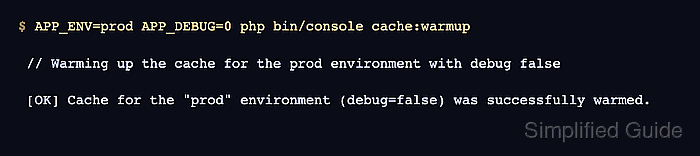
The cache:warmup command builds cache files for the selected environment. Running it with APP_ENV=prod and APP_DEBUG=0 keeps the generated files under var/cache/prod and avoids compiling debug-only services into the deployment cache.
Run the warmup after production dependencies and environment values are in place, but before the release is promoted through a symlink switch, container rollout, or process restart. If the active release already has cache files that must be cleared and rebuilt in place, use cache:clear instead; cache:warmup is best for a fresh or intentionally emptied release cache.
Related: How to clear Symfony cache
Related: How to set Symfony environment variables
Steps to warm up Symfony cache for deployment:
- Open the inactive release directory that will be promoted after validation.
$ cd /srv/www/example/releases/20260625-0715
The release directory should already contain the deployed code and production Composer dependencies. Keep the currently serving release separate until the smoke check passes.
- Empty a copied production cache directory only when the release was built from an artifact that already contained one.
$ rm -rf var/cache/prod
Run this only in the inactive release directory. Do not remove var/cache/prod from the live release while it is serving traffic.
Related: How to clear Symfony cache
- Warm the Symfony production cache for the release.
$ APP_ENV=prod APP_DEBUG=0 php bin/console cache:warmup

 // Warming up the cache for the prod environment with debug false

 [OK] Cache for the "prod" environment (debug=false) was successfully warmed.
Use the same environment values that the release will use after promotion. If deployment values are supplied by the platform, run the command from that deployment context instead of relying on local .env defaults.
- Check that the production cache directory now contains generated files.
$ ls var/cache/prod
App_KernelProdContainer.bundles.php
App_KernelProdContainer.php
App_KernelProdContainer.php.lock
App_KernelProdContainer.php.meta
App_KernelProdContainer.php.meta.json
App_KernelProdContainer.preload.php
ContainerUO3X2Ow
doctrine
pools
serialization.php
translations
twig
##### snipped #####
The exact generated container directory name changes between builds, but the cache should include container, routing, translation, Twig, and preload-related files for prod.
- Promote or restart the warmed release through the normal deployment mechanism.
Use the platform action that moves traffic to the new release, such as a symlink switch, process reload, container rollout, or release activation command.
- Request the deployed health URL after traffic reaches the warmed release.
$ curl -I -sS https://www.example.com/health
HTTP/2 200
cache-control: no-cache, private
content-type: text/html; charset=UTF-8
Use the application's normal health endpoint, login page, or smoke-test URL. A successful application response proves more than the cache files existing on disk.