How to install Docker on openSUSE and SLES
Installing Docker on openSUSE or SLES prepares the host for containerized application builds, image testing, and isolated runtime workflows without dedicating a full virtual machine to each workload. A working Docker engine is often the quickest way to stand up repeatable developer sandboxes, CI runners, or local service dependencies.
On these systems, the docker package installs the Docker daemon, the docker CLI, and the systemd unit that exposes the local Unix socket at /var/run/docker.sock. After the daemon is running, container lifecycle operations such as docker run, docker ps, and docker build all flow through that socket, while membership in the docker group controls whether the CLI must be prefixed with sudo.
Current package sources differ between the two families. openSUSE uses the Virtualization:containers repository that matches the installed release, while SLES requires the registered Containers Module before the docker package becomes available. The commands below assume a normal systemd host with Internet access to the required repositories and a user account that can run sudo.
Steps to install Docker on openSUSE and SLES:
- Identify whether the host is openSUSE Leap, openSUSE Tumbleweed, or SLES.
$ . /etc/os-release
$ printf '%s %s\n' "$ID" "$VERSION_ID"
opensuse-leap 15.6
Expected values include opensuse-leap, opensuse-tumbleweed, and sles.
- On openSUSE Leap, add the Virtualization:containers repository for the installed Leap release.
$ sudo zypper addrepo https://download.opensuse.org/repositories/Virtualization:containers/15.6/Virtualization:containers.repo
Adding repository 'Virtualization:containers (15.6)' [.....done]
Repository 'Virtualization:containers (15.6)' successfully added
Replace 15.6 with the active Leap release if the host reports a different VERSION_ID.
- On openSUSE Tumbleweed, add the Tumbleweed Virtualization:containers repository.
$ sudo zypper addrepo https://download.opensuse.org/repositories/Virtualization:containers/openSUSE_Tumbleweed/Virtualization:containers.repo
Skip this step on Leap and SLES systems.
- On SLES, enable the Containers Module that matches the installed service pack.
$ sudo SUSEConnect --list-extensions
$ sudo SUSEConnect -p sle-module-containers/15.7/$(uname -m)
Skip this step on openSUSE. Current SLES 15 SP7 systems use 15.7 in the module identifier, while older SLES 15 hosts use their own service-pack number instead.
An active SLES registration is required before SUSEConnect can attach the module.
- Refresh the package metadata after enabling the required repository or module.
$ sudo zypper refresh
- Install the docker package.
$ sudo zypper install docker
On these package-based installs, the docker group is created during package installation and can be reused for non-root CLI access.
- Enable and start the Docker service.
$ sudo systemctl enable --now docker
On SLES, enabling docker.service also enables docker.socket.
- Add the current user to the docker group when Docker commands should work without sudo.
$ sudo usermod -aG docker $USER
Members of the docker group can control the Docker daemon, which is effectively root-equivalent access on the host.
- Refresh the current login so the new group membership is applied.
$ newgrp docker
Logging out and back in applies the same change without opening a subshell.
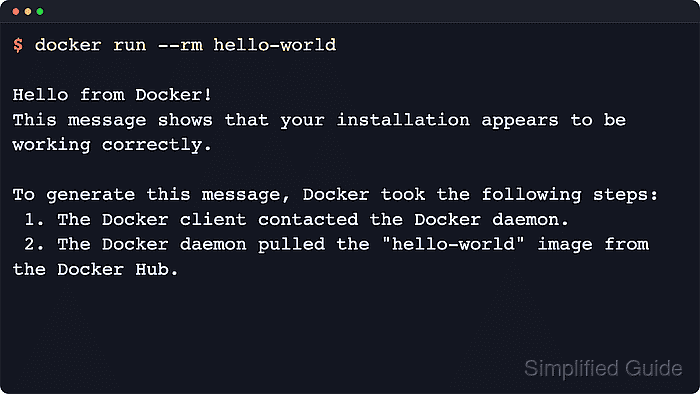
- Run the hello-world container to verify that the client can reach the daemon and start containers.
$ docker run --rm hello-world

Hello from Docker!
This message shows that your installation appears to be working correctly.

To generate this message, Docker took the following steps:
 1. The Docker client contacted the Docker daemon.
 2. The Docker daemon pulled the "hello-world" image from the Docker Hub.
##### snipped #####
The first run downloads the hello-world image before printing the confirmation message.