How to update Suricata rules
Suricata rule updates refresh the detection signatures that decide which packets become alerts. On packaged Linux sensors, suricata-update fetches rule sources, applies local rule-control files, and writes the compiled rule file that the engine loads.
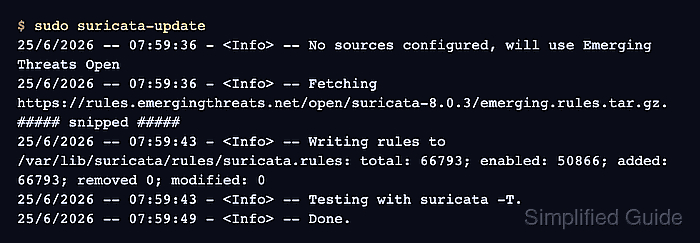
The default Ubuntu package can use Emerging Threats Open when no extra rule sources are enabled. The generated rules normally land at /var/lib/suricata/rules/suricata.rules, and any local rule-control files are applied before that compiled output is written.
Treat a rule update as a detection-engine change, not only as a download. Test the generated file with suricata -T before applying it to a running sensor, then reload the rules through suricatasc or restart the service when the command socket is not available.
Related: How to test Suricata configuration
Related: How to manage the Suricata service
Related: How to fix SC_ERR_NO_RULES in Suricata
Steps to update Suricata rules:
- Run suricata-update with sudo privileges.
$ sudo suricata-update
25/6/2026 -- 07:59:36 - <Info> -- Using Suricata configuration /etc/suricata/suricata.yaml
25/6/2026 -- 07:59:36 - <Info> -- No sources configured, will use Emerging Threats Open
25/6/2026 -- 07:59:36 - <Info> -- Fetching https://rules.emergingthreats.net/open/suricata-8.0.3/emerging.rules.tar.gz.
##### snipped #####
25/6/2026 -- 07:59:43 - <Info> -- Writing rules to /var/lib/suricata/rules/suricata.rules: total: 66793; enabled: 50866; added: 66793; removed 0; modified: 0
25/6/2026 -- 07:59:43 - <Info> -- Testing with suricata -T.
25/6/2026 -- 07:59:49 - <Info> -- Done.
Rule counts and the ruleset URL vary by installed Suricata version and enabled sources. The important lines are the write to /var/lib/suricata/rules/suricata.rules and the completed built-in test.
- Confirm that the compiled rules file exists.
$ sudo ls -l /var/lib/suricata/rules/suricata.rules
-rw-r--r-- 1 root root 44185461 Jun 25 07:59 /var/lib/suricata/rules/suricata.rules
If this file is missing, Suricata can parse its YAML file while still loading no detection rules.
Related: How to fix SC_ERR_NO_RULES in Suricata - Test the active Suricata configuration with the updated rules.
$ sudo suricata -T -c /etc/suricata/suricata.yaml -v
Notice: suricata: This is Suricata version 8.0.3 RELEASE running in SYSTEM mode
Info: suricata: Running suricata under test mode
Info: detect: 1 rule files processed. 50866 rules successfully loaded, 0 rules failed, 0 rules skipped
Info: threshold-config: Threshold config parsed: 0 rule(s) found
Info: detect: 50871 signatures processed. 1285 are IP-only rules, 4505 are inspecting packet payload, 44845 inspect application layer, 110 are decoder event only
Notice: suricata: Configuration provided was successfully loaded. Exiting.
The loaded rule count should be greater than zero, and the failed rule count should remain 0.
Related: How to test Suricata configuration - Reload rules in the running Suricata process.
$ sudo suricatasc -c reload-rules
{"message":"done","return":"OK"}
suricatasc uses the unix-command socket configured in /etc/suricata/suricata.yaml. Restart the service instead when the socket is not enabled or the sensor is managed without the command socket.
Related: How to manage the Suricata service - Confirm that the running ruleset has no load failures.
$ sudo suricatasc -c ruleset-stats
{"message":[{"id":0,"rules_loaded":50866,"rules_failed":0,"rules_skipped":0}],"return":"OK"}
rules_loaded should match the tested rule set closely enough for the enabled sources on the sensor, while rules_failed and rules_skipped should remain 0 before the update is considered applied.