How to create a sudoers drop-in file
A sudoers drop-in keeps a delegated privilege in its own file under /etc/sudoers.d instead of mixing local rules into /etc/sudoers. That matters when a deployment user, service account, or admin group needs one narrow rule that can be reviewed, disabled, and backed out without editing the main policy file.
The sudoers policy reads the main file first, then follows the included directory when /etc/sudoers contains an @includedir /etc/sudoers.d or compatible legacy #includedir line. Files in that directory are parsed in lexical order, and sudo skips included files whose names contain a period or end in ~, so a numbered name such as 20-deploy-service is safer than deploy.conf.
Use visudo to create the drop-in so the editor is locked and the file is checked before it is saved. The final validation should parse the complete sudoers policy with sudo visudo -c and then list the effective privileges for the target account with sudo -l -U, because checking only one include file can miss interactions with the rest of the policy.
Related: Check sudoers syntax with visudo
Related: List sudo privileges for a user
Related: Check sudoers rule order
Steps to create a sudoers drop-in file:
- Check that the current sudoers policy parses before adding a new file.
$ sudo visudo -c
/etc/sudoers: parsed OK
If the system does not already include /etc/sudoers.d from /etc/sudoers, add that include line in the main file with sudo visudo before relying on drop-ins.
- Choose a drop-in name that sorts where the rule should apply and does not contain a period.
Names such as 20-deploy-service or 90-local-admins are read by sudo. Names such as deploy.conf, local.bak, and 20-deploy-service~ are skipped when sudo processes an included directory.
Related: How to check sudoers rule order
- Open the drop-in with visudo.
$ sudo visudo -f /etc/sudoers.d/20-deploy-service
- Add the sudoers rule for the target account and command.
- /etc/sudoers.d/20-deploy-service
deploy ALL=(root) NOPASSWD: /usr/bin/systemctl restart nginx
Replace deploy with the user or group that should receive the privilege. For a group, use sudoers group syntax in the first field, such as %webadmins.
Use the full command path and only the arguments the account should run. A command without arguments in sudoers allows any arguments for that command.
Remove NOPASSWD: when the user should authenticate before running the delegated command.
- Save the file from the editor and confirm its ownership and permissions.
$ sudo ls -l /etc/sudoers.d/20-deploy-service
-r--r----- 1 root root 62 Jun  5 01:24 /etc/sudoers.d/20-deploy-service
visudo normally writes the sudoers file with root ownership and read-only sudoers permissions. If a configuration-management tool creates the file, set the same ownership and mode before deploying it.
- Parse the complete sudoers policy after saving the drop-in.
$ sudo visudo -c
/etc/sudoers: parsed OK
A clean full-policy parse is the safety gate for the change. Do not stop after checking only /etc/sudoers.d/20-deploy-service.
- List the target user's effective sudo privileges.
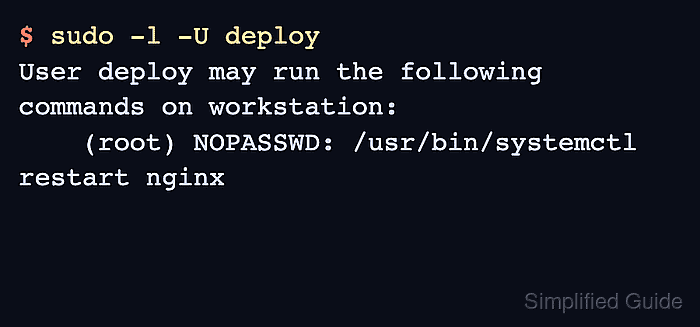
$ sudo -l -U deploy
User deploy may run the following commands on workstation:
    (root) NOPASSWD: /usr/bin/systemctl restart nginx
The listed command should match the drop-in exactly. If the rule is missing, recheck the file name, lexical order, include directive, user or group name, and command path.