How to create a command alias in sudoers
Long sudoers command lists become hard to audit when every delegated rule repeats the same paths and argument boundaries. A Cmnd_Alias gives that command set one uppercase name, so the user specification stays readable while the allowed commands remain explicit.
A command alias belongs in the command field at the end of a sudoers user specification. Alias names must start with an uppercase letter and may use uppercase letters, numbers, and underscores. Members can be fully qualified command paths, command paths with arguments, directories, or other command aliases.
Use visudo for the drop-in and validate both the changed file and the complete sudoers policy before handing the rule to the delegated user. The example below allows deployer to run only /usr/bin/id -u and /usr/bin/whoami with no arguments as root; replace those paths with root-owned commands that the delegated user cannot edit.
Related: Create a sudoers drop-in file
Related: Allow a specific program in sudo
Related: Create a sudoers user alias
Steps to create a sudoers command alias:
- Choose the user and the exact commands that should share one sudoers rule.
The example uses deployer as the delegated user. /usr/bin/id -u is allowed with exactly the -u argument, and /usr/bin/whoami “” is allowed with no arguments. In sudoers, a command path without arguments allows any arguments for that command.
- Open a dedicated sudoers drop-in with visudo.
$ sudo visudo -f /etc/sudoers.d/40-service-checks
Related: How to create a sudoers drop-in file
- Add the Cmnd_Alias definition and the rule that references it.
- /etc/sudoers.d/40-service-checks
Cmnd_Alias SERVICE_CHECKS = /usr/bin/id -u, /usr/bin/whoami ""
deployer ALL=(root) NOPASSWD: SERVICE_CHECKS
Field Meaning SERVICE_CHECKS Command alias name used later in the sudoers rule. /usr/bin/id -u Allows /usr/bin/id only with the -u argument. /usr/bin/whoami "" Allows /usr/bin/whoami only with no arguments. deployer ALL=(root) Lets deployer request the listed commands as root on matching hosts. NOPASSWD: Skips password authentication for the listed commands. Remove it when the user should authenticate. Do not redefine an existing alias name. Avoid adding shells, editors, pagers, interpreters, package managers, or broad directories to a command alias unless their escape paths are controlled and tested.
- Save the file from visudo.
If visudo reports a syntax error, choose edit or exit without saving. Do not force a broken sudoers file into place.
- Validate the changed drop-in.
$ sudo visudo -cf /etc/sudoers.d/40-service-checks
/etc/sudoers.d/40-service-checks: parsed OK
- Parse the complete sudoers policy.
$ sudo visudo -c
/etc/sudoers: parsed OK
Checking the full policy catches include-order, alias-reference, and main-file problems that a single drop-in check can miss.
- List the delegated user's effective sudo privileges.
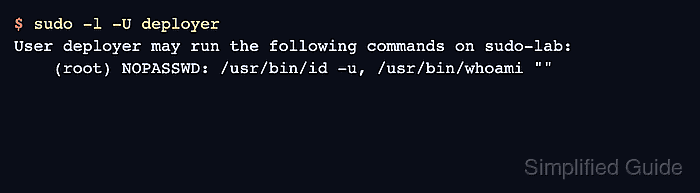
$ sudo -l -U deployer
User deployer may run the following commands on sudo-lab:
    (root) NOPASSWD: /usr/bin/id -u, /usr/bin/whoami ""
sudo -l may show the expanded command list instead of the alias name. The important check is that only the commands from SERVICE_CHECKS appear for the target user.
- Run one allowed command as the delegated user.
$ sudo -u deployer sudo -n /usr/bin/whoami
root
The -n option prevents an interactive password prompt during testing. The output should show root because /usr/bin/whoami is inside the command alias and is allowed to run as root.
- Test a similar command that is not in the alias.
$ sudo -u deployer sudo -n /usr/bin/id -g
sudo: I'm sorry deployer. I'm afraid I can't do that
The exact refusal text can vary by sudo build. Any refusal for the unlisted argument confirms the command alias is not granting the broader /usr/bin/id command.