How to edit a root-owned file with sudoedit
Editing a privileged configuration file with sudo vim or sudo nano runs the whole editor as root, including plugins, shell escapes, and any files the editor touches. sudoedit keeps the editor in the invoking user's account, then asks sudo to copy the edited temporary file back to the root-owned path after the sudoers policy allows that exact edit.
In sudoers policy, sudoedit is a built-in command name, not a normal executable path. Write sudoedit /path/to/file in the rule, validate the full policy with visudo, and list the target user's effective privileges before asking that user to save changes through sudoedit.
Use this pattern for files in root-controlled directories such as /etc, not for files in directories the delegated user can write. Current sudoers behavior refuses many unsafe sudoedit targets such as symbolic links or files below user-writable directories, but the policy should still name the intended file directly instead of granting broad wildcards.
Related: Create a sudoers drop-in file
Related: Check sudoers syntax with visudo
Related: List sudo privileges for a user
Related: Enable sudo noexec
Steps to edit a root-owned file with sudoedit:
- Choose the exact file the user should edit and confirm that the file is owned by root.
$ sudo ls -l /etc/motd
-rw-r--r-- 1 root root 8 Jun  5 10:12 /etc/motd
Do not grant sudoedit access to files under directories the delegated user can write. A user-writable directory can turn an edit rule into a path-replacement risk, and sudoers may reject the target before the editor opens.
- Open a dedicated sudoers drop-in with visudo.
$ sudo visudo -f \
  /etc/sudoers.d/motd
Use a drop-in name without dots or backup suffixes so sudo reads it from /etc/sudoers.d.
Related: How to create a sudoers drop-in file
- Add one rule that names the invoking user and the allowed edit target.
- /etc/sudoers.d/motd
alex ALL=(root) NOPASSWD: sudoedit /etc/motd
Use sudoedit without a leading path in sudoers. Do not write /usr/bin/sudoedit or a symlink path for the command name.
Remove NOPASSWD: when the user should authenticate before editing the file.
- Save the drop-in and parse the complete sudoers policy.
$ sudo visudo -c
/etc/sudoers: parsed OK
Keep the administrator session open until the full policy parses. A sudoers syntax error can block later sudo access.
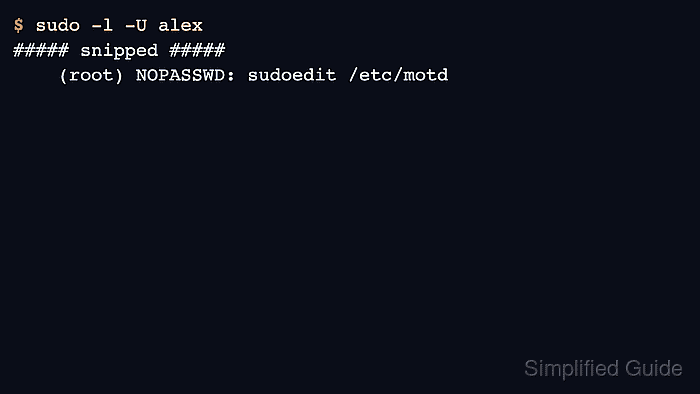
- List the effective sudo rule for the delegated user.
$ sudo -l -U alex
##### snipped #####
    (root) NOPASSWD: sudoedit /etc/motd
The listed command should show sudoedit and the exact file path. If it is missing, check the drop-in file name, rule order, user name, and path before testing the edit.
- Run sudoedit as the delegated user and save the file from the editor.
$ sudoedit /etc/motd
sudoedit uses SUDO_EDITOR first, then VISUAL, then EDITOR. Set one of those variables when the default editor is not the one the user should open.
- Verify that the saved content changed and that root ownership remains in place.
$ cat /etc/motd
Updated

$ stat -c '%U %G %a' \
  /etc/motd
root root 644
If the file is not readable by the delegated user, verify the content from an administrator session. The ownership and mode check should still show the privileged file attributes, not the delegated user's ownership.