How to list sudo privileges for a user
Auditing delegated sudo access starts with the effective policy for the account, not only the group memberships or drop-in file that appears to grant access. A local administrator can list the commands a user may run before changing rules, removing access, or handing a service account to another team.
Sudo list mode asks the active security policy to report privileges for the invoking user, or for another user when -U is supplied with -l. With the default sudoers policy, listing another user's privileges is restricted to root and to users whose policy explicitly permits that kind of listing or equivalent root access.
Run the check on the host whose policy matters because host aliases, central sudoers sources, and included files under /etc/sudoers.d can change the result. A message that a user is not allowed to run sudo means no matching sudoers rule grants access on that host; it does not prove the account itself is missing or disabled.
Related: Check sudoers syntax with visudo
Related: Fix a sudoers rule that does not work
Related: Remove sudo access from a user
Steps to list sudo privileges for a user:
- Open a terminal on the host whose sudo policy you need to audit.
Use root or an administrator account that is allowed to list another user's privileges. If -U is denied, switch to root or adjust the audit account's sudoers policy before continuing.
- List the target user's matching sudo privileges.
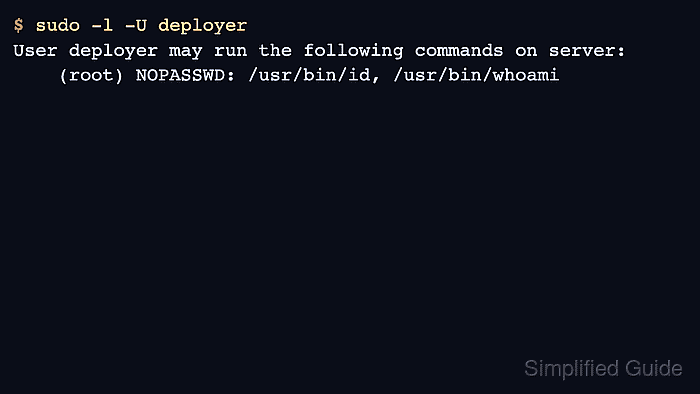
$ sudo -l -U deployer
User deployer may run the following commands on server:
    (root) NOPASSWD: /usr/bin/id, /usr/bin/whoami
The run-as target appears in parentheses. In this example, deployer may run the listed commands as root, and NOPASSWD means those commands do not require that user's password.
- Check one exact command when you need to confirm whether a delegated action matches the policy.
$ sudo -l -U deployer /usr/bin/id
/usr/bin/id
Include the same path and arguments the user will run. Sudoers entries can allow one argument form while denying another.
- Confirm the no-access signal when an account should not have sudo privileges.
$ sudo -l -U auditor
User auditor is not allowed to run sudo on server.
This output means the active policy found no matching sudo rule for auditor on the current host.
- Validate the sudoers policy if expected entries are missing, duplicated, or shown with the wrong tag.
$ sudo visudo -c
/etc/sudoers: parsed OK
visudo -c parses the main sudoers file and included files together. A clean parse proves syntax, while sudo -l -U proves the rule is visible for the target user.