How to configure passwordless sudo for a user
Passwordless sudo belongs on accounts that must run privileged commands from automation or controlled operator sessions without an interactive prompt. A user-specific sudoers rule keeps the exception narrower than passwordless access for an entire admin group, but a misplaced rule can keep prompting for a password or grant broader root access than intended.
On Linux systems that use the sudoers policy, keep the rule in a root-owned drop-in file under /etc/sudoers.d so the main /etc/sudoers file stays unchanged. The NOPASSWD: tag applies to the command list that follows it, so deployer ALL=(ALL:ALL) NOPASSWD: ALL lets that account run commands as any user or group without authenticating.
Use this access only for accounts whose login path, command history, and file ownership are controlled. Validate the complete sudoers policy before relying on the change, then test with sudo -n after clearing cached credentials so success means the target user can run a privileged command without a password prompt.
Related: Configure passwordless sudo for a group
Related: List sudo privileges for a user
Related: Remove sudo access from a user
Steps to configure passwordless sudo for a user:
- Confirm the target account exists.
$ id deployer
uid=1001(deployer) gid=1001(deployer) groups=1001(deployer)
Replace deployer with the local account that should receive passwordless sudo.
- Create a dedicated sudoers drop-in file with root ownership and sudoers permissions.
$ sudo install --owner=root --group=root --mode=0440 /dev/null /etc/sudoers.d/90-deployer-nopasswd
Run this only for a new drop-in file. If the file already exists, open it with visudo instead of replacing it with an empty file.
Related: Create a sudoers drop-in file
- Open the drop-in file with visudo.
$ sudo visudo --file /etc/sudoers.d/90-deployer-nopasswd
- Add the passwordless rule for the target user.
deployer ALL=(ALL:ALL) NOPASSWD: ALL
The first ALL matches any host, (ALL:ALL) allows commands to run as any user and group, and the final ALL permits every command. Files in /etc/sudoers.d are parsed in lexical order, so the 90- prefix makes this drop-in load after lower-numbered local rules.
- Check the complete sudoers policy.
$ sudo visudo --check
/etc/sudoers: parsed OK
The check must finish without syntax errors before the rule is used.
Related: Check sudoers syntax with visudo
- Start a login shell as the target user.
$ sudo -iu deployer
- Clear cached sudo credentials for the target user's shell.
$ sudo -k
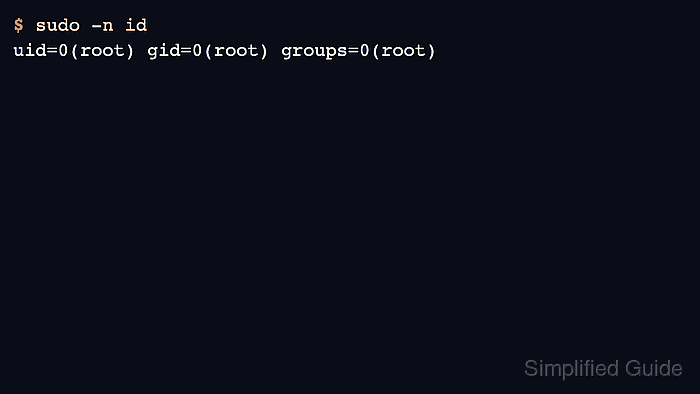
- Run a non-interactive root identity check.
$ sudo -n id
uid=0(root) gid=0(root) groups=0(root)
The -n option exits instead of prompting, so this command succeeds only when no password prompt is required.
- List the effective sudo rule from the target user's shell.
$ sudo -l
User deployer may run the following commands on server1:
    (ALL : ALL) NOPASSWD: ALL
Related: Check sudoers rule order
- Leave the target user's shell.
$ exit