How to connect through a proxy with SSH ProxyCommand
When direct SSH egress is blocked but an HTTP CONNECT proxy is allowed, ProxyCommand lets OpenSSH hand the target connection to a local helper instead of opening the TCP socket itself. The SSH session still authenticates and encrypts end to end, while the proxy only carries the transport path to the server.
ProxyCommand starts an external command and connects ssh to that command's standard input and output. Tokens such as %h and %p expand to the target host and port, so a proxy-aware helper can open the final destination while OpenSSH still handles host keys, authentication, ciphers, and the remote session.
The command examples use the OpenBSD nc syntax for an HTTP CONNECT proxy, nc -X connect -x proxy.example.net:8080 %h %p. Other helpers use different flags, and SOCKS proxy routing has its own guide. Keep proxy hostnames, credentials, and per-host private key paths out of shared notes unless they are sanitized.
Steps to connect through a proxy with SSH ProxyCommand:
- Check that the proxy listener is reachable from the client.
$ nc -vz proxy.example.net 8080
Connection to proxy.example.net (192.0.2.10) 8080 port [tcp/http-alt] succeeded!
This confirms that the TCP proxy port is open from the client. It does not prove that the proxy will allow CONNECT requests to the target host.
- Create the per-user SSH configuration directory when it does not already exist.
$ mkdir -p ~/.ssh
- Restrict the configuration directory to the local account.
$ chmod 700 ~/.ssh
- Open the per-user SSH client configuration file.
$ vi ~/.ssh/config
- Add a host block that uses an HTTP CONNECT helper for this target.
Host app-via-proxy
  HostName host.example.net
  User user
  Port 22
  IdentityFile ~/.ssh/id_ed25519
  ProxyCommand nc -X connect -x proxy.example.net:8080 %h %p
The %h and %p tokens expand to host.example.net and 22 for this alias. Replace the proxy helper when the proxy is SOCKS, requires authentication, or the local netcat implementation is not OpenBSD nc.
Tool: Netcat Command Generator - Restrict the client configuration file to the local account.
$ chmod 600 ~/.ssh/config
OpenSSH can reject user configuration files that are writable by other users.
- Show the resolved client configuration for the alias.
$ ssh -G app-via-proxy
host app-via-proxy
user user
hostname host.example.net
port 22
##### snipped #####
identityfile ~/.ssh/id_ed25519
proxycommand nc -X connect -x proxy.example.net:8080 %h %p
ssh -G evaluates matching Host blocks and exits before opening the network session.
Related: How to show SSH client configuration - Connect through the saved alias.
$ ssh app-via-proxy hostname
host
- Run one verbose connection when the proxy path needs proof.
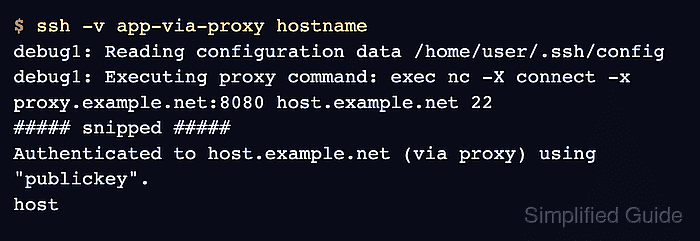
$ ssh -v app-via-proxy hostname
debug1: Reading configuration data /home/user/.ssh/config
debug1: Executing proxy command: exec nc -X connect -x proxy.example.net:8080 host.example.net 22
##### snipped #####
Authenticated to host.example.net (via proxy) using "publickey".
host
The Executing proxy command line confirms that ssh launched the helper and expanded the target host and port before authentication.
Related: How to increase SSH client verbosity