How to connect to an SSH server through a SOCKS proxy
Routing SSH through a SOCKS proxy keeps a remote server reachable when the client can only make outbound connections through a proxy path, such as a filtered network, a controlled egress gateway, or an existing tunnel. The SSH session still encrypts authentication and terminal traffic end to end, so the proxy only carries the TCP stream.
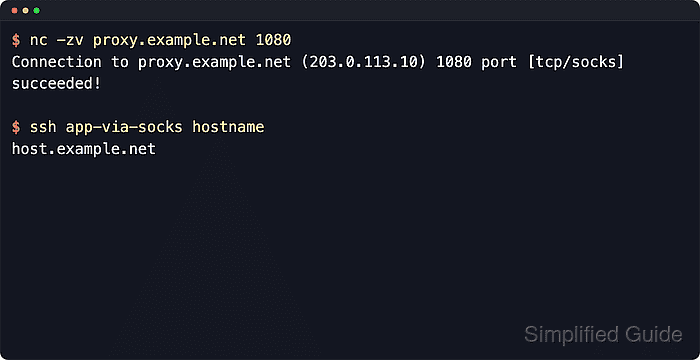
OpenSSH handles this with ProxyCommand, which starts a local helper and hands the session's network stream to it. With the OpenBSD nc helper, nc -X 5 -x proxy.example.net:1080 %h %p asks the SOCKS5 proxy to open the target host and port, then passes the SSH bytes through that proxy connection.
The helper syntax matters because ncat, connect-proxy, and other proxy-aware tools use different flags. The examples use the OpenBSD nc form provided by current Ubuntu and Debian netcat-openbsd packages. Confirm the local helper before saving the host block when the proxy requires authentication or when nc comes from a different implementation.
Steps to connect to an SSH server through a SOCKS proxy:
- Check that the SOCKS proxy listener is reachable from the local system.
$ nc -zv proxy.example.net 1080
Connection to proxy.example.net (203.0.113.10) 1080 port [tcp/socks] succeeded!
Port 1080 is common for SOCKS proxies, and the commands below use the OpenBSD nc syntax that current Ubuntu and Debian systems provide through netcat-openbsd.
- Start a one-off SSH session through the proxy with an inline ProxyCommand.
$ ssh -o ProxyCommand='nc -X 5 -x proxy.example.net:1080 %h %p' deploy@host.example.net hostname
host.example.net
-X 5 selects SOCKS5, and the tokens %h and %p expand to the destination host and port so the proxy opens the outbound TCP session for ssh.
Current OpenBSD nc supports proxy usernames only for HTTP CONNECT proxies, so this exact helper command does not satisfy SOCKS proxies that require username or password authentication.
Tool: Netcat Command Generator
- Add a host block to ~/.ssh/config when the same proxy path is used regularly.
Host app-via-socks
  HostName host.example.net
  User deploy
  IdentityFile ~/.ssh/id_ed25519
  ProxyCommand nc -X 5 -x proxy.example.net:1080 %h %p
Add Port 2222 in the same block when the target SSH service does not listen on the default TCP port.
Related: How to show SSH client configuration
- Restrict the per-user SSH client configuration file to the local account.
$ chmod 600 ~/.ssh/config
- Connect through the saved host alias to confirm the same route works without repeating the full proxy command.
$ ssh app-via-socks hostname
host.example.net
- Increase client verbosity to verify that ssh is still launching the SOCKS helper for the saved host alias.
$ ssh -v app-via-socks hostname
debug1: OpenSSH_10.2p1 Ubuntu-2ubuntu3.2, OpenSSL 3.5.5 27 Jan 2026
debug1: Reading configuration data /home/deploy/.ssh/config
debug1: /home/deploy/.ssh/config line 1: Applying options for app-via-socks
debug1: Executing proxy command: exec nc -X 5 -x proxy.example.net:1080 host.example.net 22
##### snipped #####
Authenticated to host.example.net (via proxy) using "publickey".
##### snipped #####
host.example.net
The Executing proxy command line confirms that the saved host block matched and that the connection is being opened through the SOCKS proxy instead of directly.
Related: How to increase SSH client verbosity