How to allow or deny SSH access for users and groups
Restricting SSH logins by user and group keeps remote shell access limited to the accounts that still need server administration. On shared Linux hosts, bastions, and long-lived servers, local accounts can outlive their operational role unless the OpenSSH server enforces a narrow login policy.
The OpenSSH server reads AllowUsers, DenyUsers, AllowGroups, and DenyGroups from /etc/ssh/sshd_config and any included files. User rules match login names, while group rules match a user's primary or supplementary Unix groups. Current Debian and Ubuntu packages load /etc/ssh/sshd_config.d/*.conf from the main configuration file, so a dedicated drop-in keeps the access policy separate from packaged defaults.
An incorrect access rule can lock out new remote sessions immediately, so keep the current administrative session open until a second login test succeeds. A matching DenyUsers entry prevents that user from reaching AllowUsers, and a matching DenyGroups entry prevents that group from reaching AllowGroups. When both AllowUsers and AllowGroups are present, the login must satisfy both allow lists; use Match blocks when the policy also depends on source address or other connection attributes.
Related: How to disable SSH root login
Related: How to allow or deny SSH access by IP address
Steps to allow or deny SSH access for users and groups:
- Open a terminal on the server with an account that can use sudo, and keep that session connected until the new policy is verified.
$ whoami
admin
Do not close the current administrative session until a second SSH login confirms that the new rules work.
- Check whether the server loads SSH configuration snippets before choosing the file to edit.
$ sudo grep -n '^Include' /etc/ssh/sshd_config
12:Include /etc/ssh/sshd_config.d/*.conf
If the host does not use an /etc/ssh/sshd_config.d/ include directory, place the same directives near the end of /etc/ssh/sshd_config instead.
- Confirm the exact login and group names that the SSH policy will reference.
$ id admin
uid=1001(admin) gid=1003(admin) groups=1003(admin),1001(ssh-admins)
Run the same check for each account in the policy. AllowUsers and DenyUsers use login names, while AllowGroups and DenyGroups use local group names.
- Create or edit the file that will hold the SSH access policy.
$ sudoedit /etc/ssh/sshd_config.d/60-access-control.conf
If step 2 showed no include directory, edit /etc/ssh/sshd_config instead. Keeping the access rules in one file makes later reviews and rollbacks easier.
- Add the user and group rules that should control SSH logins.
# Allow only approved administrator accounts
AllowUsers admin backupuser blockedadmin

# Deny one account even if another rule would otherwise allow it
DenyUsers deploy

# Require allowed logins to belong to the SSH administrator group
AllowGroups ssh-admins

# Block members of a restricted group
DenyGroups contractors
DenyUsers overrides AllowUsers for a matching login name, and DenyGroups overrides AllowGroups for a matching group. If both allow directives are present, a successful login must match both allow lists.
Related: How to configure SSH Match blocks
- Test the SSH daemon configuration before reloading the service.
$ sudo sshd -t
No output means the full configuration parsed successfully.
Related: How to test SSH server configuration
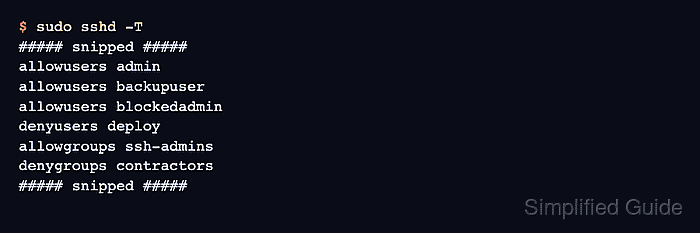
- Inspect the resolved allow and deny directives that sshd will apply after includes are merged.
$ sudo sshd -T
##### snipped #####
allowusers admin
allowusers backupuser
allowusers blockedadmin
denyusers deploy
allowgroups ssh-admins
denygroups contractors
##### snipped #####
sshd -T prints the effective runtime configuration, and repeated values appear as separate output lines.
Related: How to view SSH server configuration
- Reload the SSH service so the new access policy takes effect without a full daemon restart.
$ sudo systemctl reload ssh
Use sudo systemctl reload sshd on systems where the service unit is sshd instead of ssh. If the unit does not support reload, fall back to a restart only after the syntax test succeeds.
- Check that the SSH service stayed active after the reload.
$ sudo systemctl is-active ssh
active
If the command does not return active, stop and inspect the journal before opening a new SSH session.
- From a second terminal, confirm that an allowed account can still open a new SSH session.
$ ssh admin@host.example.net 'id -un'
admin
- From another fresh SSH attempt, confirm that an explicitly denied account is refused.
$ ssh deploy@host.example.net 'id -un'
deploy@host.example.net: Permission denied (publickey,password).
- Confirm that a user in a denied group is refused even when the login name appears in AllowUsers.
$ ssh blockedadmin@host.example.net 'id -un'
blockedadmin@host.example.net: Permission denied (publickey,password).
The exact error text can vary with enabled authentication methods, but the new login should be rejected before closing the original administrative session.