How to enable Snort file identification
Snort file identification lets file-aware rules match traffic by detected file type rather than only by ports, services, or raw packet content. Enable it before writing file_type rules, validating file-focused detections, or depending on file policy actions such as logging, blocking, capture, or reset behavior.
In a current source-installed Snort 3 configuration, /usr/local/etc/snort/snort.lua loads file identification rules through file_inspect = { rules_file = 'file_magic.rules' } and keeps file policy active with file_policy = { }. The bundled /usr/local/etc/snort/file_magic.rules file defines common file IDs that file_type rules can reference.
The configuration test should show file_magic.rules loading and the local file rule should compile. Runtime alerts still require traffic that reaches a file-processing path such as HTTP, SMTP, POP3, IMAP, SMB, or FTP; a plain payload packet that never enters file inspection will not exercise file_type.
Related: How to create a local Snort rule
Steps to enable Snort file identification:
- Confirm the bundled file magic rules file exists.
$ ls /usr/local/etc/snort/file_magic.rules
/usr/local/etc/snort/file_magic.rules
- Check the file inspection setting in the active configuration.
$ grep -n 'file_inspect' /usr/local/etc/snort/snort.lua
93:file_inspect = { rules_file = 'file_magic.rules' }
- Check the file policy setting in the active configuration.
$ grep -n 'file_policy' /usr/local/etc/snort/snort.lua
94:file_policy = { }
The default file_policy table enables file type identification. Add explicit policy rules only when the sensor must log, block, reset, capture, or stop selected file types.
- Restore the file identification block if it is missing or commented out.
file_inspect = { rules_file = 'file_magic.rules' }
file_policy = { }
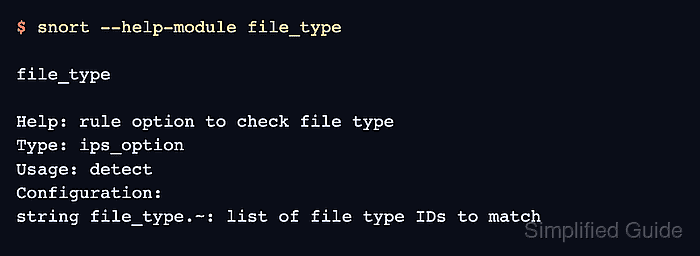
- Confirm that Snort exposes the file_type rule option.
$ snort --help-module file_type

file_type

Help: rule option to check file type
Type: ips_option
Usage: detect
Configuration:
string file_type.~: list of file type IDs to match
- Create a temporary file-type rule for validation.
$ sudo vi /tmp/file-local.rules
- Add a minimal PDF file rule to the temporary rule file.
alert file (msg:"LOCAL PDF file detected"; file_type:"PDF"; sid:1000100; rev:1;)
Use a private sid value that does not collide with deployed rules. The alert file header lets Snort evaluate the rule against files processed by supported application decoders.
- Validate the configuration with the temporary file-type rule.
$ sudo snort -c /usr/local/etc/snort/snort.lua -R /tmp/file-local.rules -T
Loading file_inspect.rules_file:
Loading file_magic.rules:
Finished file_magic.rules:
Finished file_inspect.rules_file:
Loading rule args:
Loading /tmp/file-local.rules:
Finished /tmp/file-local.rules:
##### snipped #####
service rule counts          to-srv  to-cli
                     file:        1       1
                  file_id:      219     219
##### snipped #####
Snort successfully validated the configuration (with 0 warnings).
o")~   Snort exiting
Related: How to test Snort configuration
- Remove the temporary validation rule after the test passes.
$ sudo rm /tmp/file-local.rules
- Restart the managed sensor after validating the edited configuration.
$ sudo systemctl restart snort
Use the service unit name from the local deployment. If Snort is run manually instead of through systemd, stop the old process and start the next run with the validated configuration.
Related: How to create a Snort systemd service