How to revert a snap package
Reverting a snap activates a previously retained revision after a refresh causes a problem. The operation can restore the snap revision and revision-specific data without changing the channel that future refreshes will track.
Snapd keeps a limited number of revisions for each installed snap, controlled by refresh.retain. The snap revert command normally returns to the previous revision, while --revision selects a retained revision when more than one old revision is available.
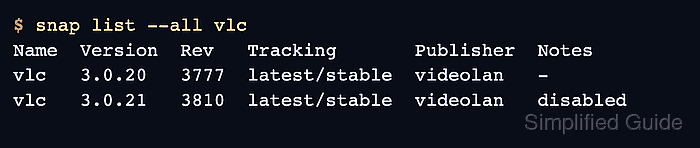
A completed revert should show the intended revision active in snap list –all and the failed revision disabled. User data stored in common data directories may not roll back with the revision, so database-backed or stateful snaps may still need a separate data recovery plan.
Related: How to manage snap refresh schedule
Related: How to hold snap refreshes
Related: How to back up and restore snap data snapshots
Steps to revert a snap package:
- List all retained revisions for the snap.
$ snap list --all vlc
Name  Version  Rev   Tracking       Publisher  Notes
vlc   3.0.20   3777  latest/stable  videolan   disabled
vlc   3.0.21   3810  latest/stable  videolan   -
- Revert the snap to the previous retained revision.
$ sudo snap revert vlc
vlc reverted to 3.0.20
Revert changes the active revision, but it does not replace every kind of application data. Take a snapshot or application backup before reverting stateful services.
- Confirm which revision is active.
$ snap list --all vlc
Name  Version  Rev   Tracking       Publisher  Notes
vlc   3.0.20   3777  latest/stable  videolan   -
vlc   3.0.21   3810  latest/stable  videolan   disabled
- Run the application smoke test.
$ vlc --version
VLC media player 3.0.20 Vetinari
- Hold the snap when the reverted-from revision should not return automatically.
$ sudo snap refresh --hold=48h vlc
General refreshes of "vlc" held until 2026-06-26T10:00:00+08:00
A named hold gives time to test the next publisher revision without stopping refreshes for unrelated snaps.
Related: How to hold snap refreshes
- Refresh the snap explicitly when the replacement revision is ready.
$ sudo snap refresh vlc
vlc 3.0.22 from VideoLAN refreshed