Snap refresh holds pause automatic updates for one snap or for all installed snaps. They are useful when a maintenance window is still open, a new revision needs testing elsewhere first, or an application owner needs time before the next automatic refresh.
The snap refresh –hold command can target named snaps for a duration or hold all snaps when no name is supplied. Targeted holds block automatic refreshes and general refreshes for those snaps, but a command that explicitly refreshes the held snap can still proceed.
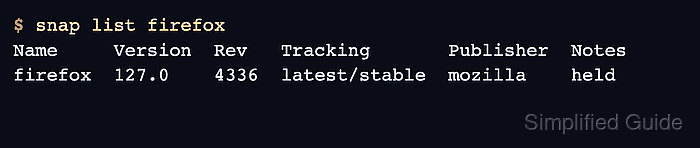
A completed hold should appear in the Notes column of snap list for a named snap or in refresh timing output for a system-wide hold. Always remove the hold when the maintenance reason ends so security and bug-fix refreshes can resume.
Related: How to manage snap refresh schedule
Related: How to revert a snap package
Related: How to check snap changes and tasks
Steps to hold snap refreshes:
- Check the installed snapd version.
$ snap version
snap          2.75.2
snapd         2.75.2
series        16
ubuntu        26.04
kernel        6.12.0-9-generic
Refresh holds require snapd 2.58 or later.
- Hold one snap for a fixed period.
$ sudo snap refresh --hold=24h firefox
General refreshes of "firefox" held until 2026-06-25T09:30:00+08:00
- Confirm that the named snap is held.
$ snap list firefox
Name     Version  Rev   Tracking       Publisher  Notes
firefox  127.0    4336  latest/stable  mozilla    held
- Hold automatic refreshes for all snaps when the whole host is in maintenance.
$ sudo snap refresh --hold=2h
Auto-refresh of all snaps held until 2026-06-24T11:30:00+08:00
A hold without a snap name affects automatic refreshes for all snaps. It does not block a manual snap refresh command.
- Remove a hold from a named snap.
$ sudo snap refresh --unhold firefox
Removed general refresh hold of "firefox"
- Remove the system-wide auto-refresh hold.
$ sudo snap refresh --unhold
Removed auto-refresh hold on all snaps
- Check the next refresh time.
$ snap refresh --time
timer: 00:00~24:00/4
last: today at 07:47 +08
next: today at 13:12 +08

Mohd Shakir Zakaria is a cloud architect with deep roots in software development and open-source advocacy. Certified in AWS, Red Hat, VMware, ITIL, and Linux, he specializes in designing and managing robust cloud and on-premises infrastructures.


