How to check snap changes and tasks
Snapd records installs, refreshes, removals, reverts, service actions, and other daemon operations as changes. Checking those records helps explain whether an operation finished, failed, or is still waiting on another snapd task.
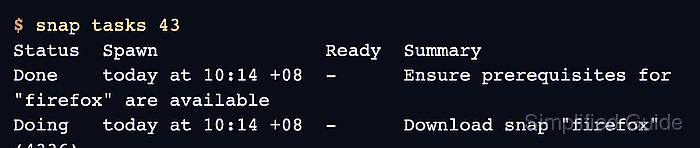
The snap changes command lists recent change IDs and summaries. The snap tasks <id> command expands one change into the individual steps that snapd performed, such as downloading a revision, checking assertions, mounting a snap, or running a hook.
A completed check should identify the relevant change ID and the task that owns the current status. Use it after a command appears stuck, after a refresh changes a service, or before deciding whether to abort a running change.
Related: How to manage snap refresh schedule
Related: How to view snap service logs
Related: How to check a snap service status
Steps to check snap changes and tasks:
- List recent snapd changes.
$ snap changes
ID   Status  Spawn               Ready               Summary
41   Done    today at 09:11 +08  today at 09:12 +08  Install "hello-world" snap
42   Done    today at 10:04 +08  today at 10:05 +08  Refresh "core22" snap
43   Doing   today at 10:14 +08  -                   Refresh "firefox" snap
- Inspect the tasks for the relevant change.
$ snap tasks 43
Status  Spawn               Ready  Summary
Done    today at 10:14 +08  -      Ensure prerequisites for "firefox" are available
Doing   today at 10:14 +08  -      Download snap "firefox" (4336) from channel "latest/stable"
Hold    today at 10:14 +08  -      Run configure hook of "firefox" snap if present
- Check the task that is not Done.
Doing means the task is still running, Hold means it is waiting on another condition, and Error means snapd recorded a failure for that step.
- Read snapd service logs when a change reports an error.
$ journalctl -u snapd --since "15 minutes ago"
Jun 24 10:14:45 host snapd[912]: taskrunner: [change 43] task failed: cannot download snap
Related: How to view snap service logs
- Print the change in JSON when another tool needs structured status.
$ snap changes --format=json
[
  {"id":"41","kind":"install-snap","summary":"Install \"hello-world\" snap","status":"Done"},
  {"id":"42","kind":"refresh-snap","summary":"Refresh \"core22\" snap","status":"Done"},
  {"id":"43","kind":"refresh-snap","summary":"Refresh \"firefox\" snap","status":"Doing"}
]