How to switch into an iframe with Selenium
A browser tab can contain several document trees, but WebDriver searches only the active browsing context. Elements inside an iframe remain outside ordinary locator searches until Selenium changes context to that embedded document.
Python's frame_to_be_available_and_switch_to_it() waits for a frame locator and changes context in the same poll. A stable id or another page-owned attribute is less vulnerable to layout changes than a numeric frame index.
The local test page inserts its checkout iframe after a short delay, so the frame wait must handle both availability and context switching. After the embedded form responds, default_content() returns to the top-level document where a parent-only status element confirms that the original context is active again.
Steps to switch into an iframe with Selenium:
- Create iframe-content.html with the controls inside the embedded document.
- iframe-content.html
<!doctype html>
<html lang="en">
<meta charset="utf-8">
<title>Checkout frame</title>
<body>
<label for="customer-email">Customer email</label>
<input id="customer-email" name="customer-email" type="email">
<button id="confirm-payment" type="button">Confirm payment</button>
<p id="frame-status">Waiting for iframe action</p>
</body>
</html>
- Insert the iframe response handler before the closing body tag in iframe-content.html.
<script>
  const email = document.querySelector("#customer-email");
  const button = document.querySelector("#confirm-payment");
  const status = document.querySelector("#frame-status");

  button.addEventListener("click", () => {
    status.textContent = `Ready for ${email.value}`;
  });
</script>
- Create iframe-demo.html with the parent-only status element.
- Insert the delayed iframe creation before the closing body tag in iframe-demo.html.
<script>
  setTimeout(() => {
    const frame = document.createElement("iframe");
    frame.id = "checkout-frame";
    frame.title = "Checkout form";
    frame.src = "iframe-content.html";
    document.querySelector("#frame-slot").append(frame);
  }, 500);
</script>
The delay represents an iframe added by application JavaScript after the parent document has loaded.
- Start selenium-iframe-switch.py with the imports and local parent-page URL.
- selenium-iframe-switch.py
from pathlib import Path
import shutil

from selenium import webdriver
from selenium.webdriver.chrome.service import Service
from selenium.webdriver.common.by import By
from selenium.webdriver.support import expected_conditions as EC
from selenium.webdriver.support.ui import WebDriverWait


page_url = (Path(__file__).parent / "iframe-demo.html").resolve().as_uri()
- Append the headless Chrome session below page_url.
options = webdriver.ChromeOptions()
options.add_argument("--headless=new")
options.add_argument("--window-size=1280,720")

driver_path = shutil.which("chromedriver")
service = Service(driver_path) if driver_path else Service()

driver = webdriver.Chrome(service=service, options=options)
wait = WebDriverWait(driver, 10)
webdriver.Chrome() uses an installed compatible driver or lets Selenium Manager resolve one on supported systems.
Related: How to install Selenium WebDriver for Python
Related: How to configure ChromeDriver for Selenium - Append the frame interaction and parent-context check below the wait declaration.
try:
    driver.get(page_url)

    wait.until(
        EC.frame_to_be_available_and_switch_to_it(
            (By.ID, "checkout-frame")
        )
    )
    email = wait.until(
        EC.visibility_of_element_located((By.ID, "customer-email"))
    )
    email.send_keys("qa@example.net")
    driver.find_element(By.ID, "confirm-payment").click()

    wait.until(
        EC.text_to_be_present_in_element(
            (By.ID, "frame-status"),
            "Ready for qa@example.net",
        )
    )
    frame_status = driver.find_element(By.ID, "frame-status").text

    driver.switch_to.default_content()
    parent_status = wait.until(
        EC.visibility_of_element_located((By.ID, "parent-status"))
    ).text

    assert frame_status == "Ready for qa@example.net"
    assert parent_status == "Parent document restored"
    print(f"frame_status: {frame_status}")
    print(f"parent_status: {parent_status}")
finally:
    driver.quit()
The expected condition returns only after WebDriver has entered checkout-frame. default_content() is required before locating parent-status because that element belongs to the top-level document.
- Replace the work-in-progress script with this consolidated iframe check.
- selenium-iframe-switch.py
from pathlib import Path
import shutil

from selenium import webdriver
from selenium.webdriver.chrome.service import Service
from selenium.webdriver.common.by import By
from selenium.webdriver.support import expected_conditions as EC
from selenium.webdriver.support.ui import WebDriverWait


page_url = (Path(__file__).parent / "iframe-demo.html").resolve().as_uri()

options = webdriver.ChromeOptions()
options.add_argument("--headless=new")
options.add_argument("--window-size=1280,720")

driver_path = shutil.which("chromedriver")
service = Service(driver_path) if driver_path else Service()

driver = webdriver.Chrome(service=service, options=options)
wait = WebDriverWait(driver, 10)
try:
    driver.get(page_url)

    wait.until(
        EC.frame_to_be_available_and_switch_to_it(
            (By.ID, "checkout-frame")
        )
    )
    email = wait.until(
        EC.visibility_of_element_located((By.ID, "customer-email"))
    )
    email.send_keys("qa@example.net")
    driver.find_element(By.ID, "confirm-payment").click()

    wait.until(
        EC.text_to_be_present_in_element(
            (By.ID, "frame-status"),
            "Ready for qa@example.net",
        )
    )
    frame_status = driver.find_element(By.ID, "frame-status").text

    driver.switch_to.default_content()
    parent_status = wait.until(
        EC.visibility_of_element_located((By.ID, "parent-status"))
    ).text

    assert frame_status == "Ready for qa@example.net"
    assert parent_status == "Parent document restored"
    print(f"frame_status: {frame_status}")
    print(f"parent_status: {parent_status}")
finally:
    driver.quit()
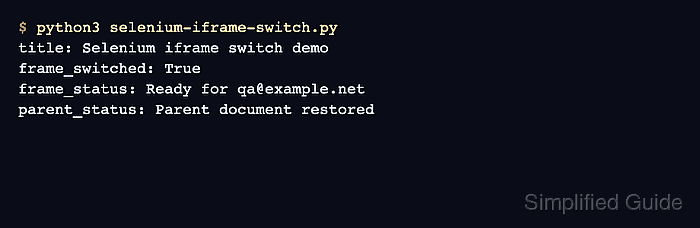
- Run the completed script to verify the iframe action and restored parent context.
$ python3 selenium-iframe-switch.py
frame_status: Ready for qa@example.net
parent_status: Parent document restored