How to run a headless browser in Selenium
Headless browser sessions let automated tests render and inspect real pages without displaying a Chrome window. Selenium uses the same WebDriver APIs in headless and visible sessions, which makes the mode suitable for CI jobs and remote hosts without a desktop session.
Unified Chrome Headless uses the regular browser engine when --headless is passed through ChromeOptions. An explicit window size keeps responsive breakpoints and element geometry consistent between runs.
The sample loads a local HTML fixture, so its result does not depend on DNS or a public website. Selenium Manager can resolve a compatible driver when needed; runners with pinned browser packages can instead provide ChromeDriver on PATH.
Steps to run a headless browser in Selenium:
- Create selenium-headless-browser-run.py with the fixture URL and Chrome headless options.
- selenium-headless-browser-run.py
from pathlib import Path
from shutil import which

from selenium import webdriver
from selenium.webdriver.chrome.service import Service
from selenium.webdriver.common.by import By


page_url = (Path(__file__).parent / "headless-page.html").as_uri()
browser_path = which("google-chrome") or which("chromium")
driver_path = which("chromedriver")

options = webdriver.ChromeOptions()
options.add_argument("--headless")
options.add_argument("--window-size=1280,720")
if browser_path:
    options.binary_location = browser_path
The --no-sandbox flag disables a browser security boundary and is not required for headless mode on a normal runner.
- Append the browser session and page assertions below the options block.
service = Service(driver_path) if driver_path else Service()
driver = webdriver.Chrome(service=service, options=options)
try:
    driver.get(page_url)
    heading = driver.find_element(By.ID, "status").text
    window_size = driver.get_window_size()

    assert driver.title == "Selenium headless demo"
    assert heading == "Headless browser ready"

    print(f"title: {driver.title}")
    print(f"heading: {heading}")
    print(f"window_size: {window_size['width']}x{window_size['height']}")
    print(f"browser: {driver.capabilities['browserName']}")
finally:
    driver.quit()
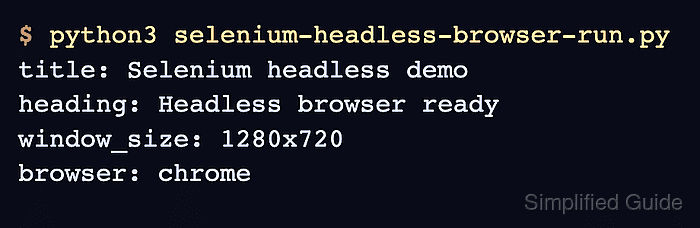
- Run the completed script to confirm that Chrome renders the fixture without a visible window.
$ python3 selenium-headless-browser-run.py
title: Selenium headless demo
heading: Headless browser ready
window_size: 1280x720
browser: chrome