How to install Scrapy on Ubuntu or Debian
Installing Scrapy from the standard apt repositories gives an Ubuntu or Debian system the crawler CLI, project templates, and interactive shell tools needed to start scraping work without building Python dependencies by hand.
The distro package is python3-scrapy. Installing it adds the scrapy command and its packaged Python dependencies, so subcommands such as startproject, genspider, shell, and runspider work immediately from the system environment.
Current upstream Scrapy documentation still recommends a dedicated virtual environment with pip when you need the newest release or isolated project dependencies. The distro package is simpler for a system-managed install, but the packaged version can lag behind PyPI and should not be mixed with a later system-wide pip install scrapy into the same Python interpreter.
Related: How to install Scrapy using pip
Related: How to create a Scrapy spider
Steps to install Scrapy on Ubuntu or Debian:
- Open a terminal with an account that can use sudo.
- Update the apt package index.
$ sudo apt update
Get:1 http://archive.ubuntu.com/ubuntu noble InRelease [256 kB]
Get:2 http://archive.ubuntu.com/ubuntu noble-updates InRelease [126 kB]
Get:3 http://archive.ubuntu.com/ubuntu noble-security InRelease [126 kB]
Fetched 508 kB in 1s (650 kB/s)
Reading package lists... Done
Building dependency tree... Done
All packages are up to date.
- Install the python3-scrapy package.
$ sudo apt install python3-scrapy
Reading package lists... Done
Building dependency tree... Done
Reading state information... Done
The following additional packages will be installed:
  python3-cssselect python3-lxml python3-openssl python3-parsel python3-twisted
##### snipped #####
The following NEW packages will be installed:
  python3-scrapy
##### snipped #####
Setting up python3-scrapy (2.11.1-1) ...
Keep this install system-managed. Do not follow it with a system-wide pip install scrapy into the same interpreter, because mixed package ownership can break imports or later upgrades.
- Check the installed Scrapy version.
$ scrapy version
Scrapy 2.11.1
Ubuntu 24.04 currently installs Scrapy 2.11.1, while Debian 12 installs Scrapy 2.8.0 with the same package name. The exact version depends on the distro release and repository state.
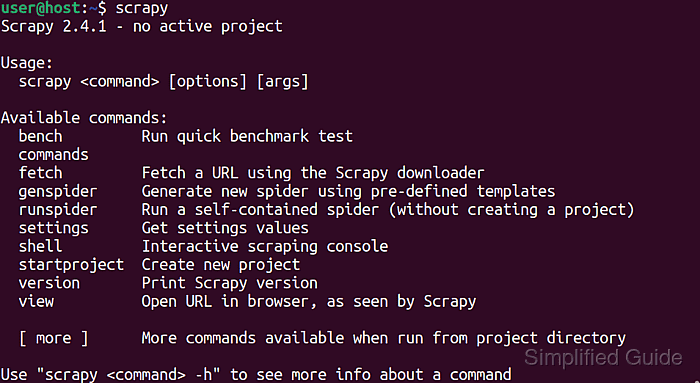
- Run scrapy outside a project directory to confirm the CLI is ready.
$ scrapy
Scrapy 2.11.1 - no active project

Usage:
  scrapy <command> [options] [args]

Available commands:
  bench         Run quick benchmark test
  fetch         Fetch a URL using the Scrapy downloader
  genspider     Generate new spider using pre-defined templates
  runspider     Run a self-contained spider (without creating a project)
  settings      Get settings values
  shell         Interactive scraping console
  startproject  Create new project
  version       Print Scrapy version
  view          Open URL in browser, as seen by Scrapy

  [ more ]      More commands available when run from project directory

Use "scrapy <command> -h" to see more info about a command
The no active project message is expected until you create or enter a Scrapy project. Related: How to create a Scrapy project