How to create a Scrapy project
Creating a Scrapy project gives spiders, settings, pipelines, and exports a predictable home once a crawl needs more than one one-off test file. Keeping one project per crawler or site family makes it easier to share middleware, item models, and feed settings without mixing unrelated jobs.
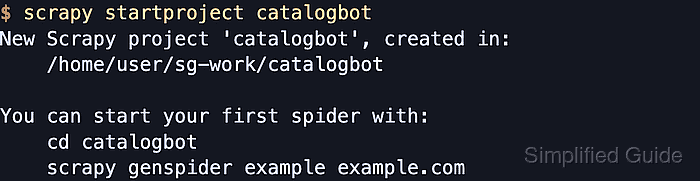
The scrapy startproject command creates a working directory that contains scrapy.cfg and a Python package with settings.py, items.py, pipelines.py, middlewares.py, and the spiders module. From that project root, commands such as scrapy settings, scrapy genspider, and scrapy crawl load the generated package as the active configuration.
The project name becomes the directory name, bot name, and Python package name, so it should use letters, numbers, and underscores rather than spaces or hyphens. Current Scrapy releases still generate ROBOTSTXT_OBEY = True in settings.py, which can make the first crawl more restrictive than older examples that assume unrestricted requests.
Related: How to install Scrapy using pip
Related: How to create a Scrapy spider
Steps to create a Scrapy project with scrapy startproject:
- Change to the parent directory that will hold the new Scrapy project.
$ cd /home/user/sg-work
- Create the project scaffold with a name that also works as a Python package.
$ scrapy startproject catalogbot
New Scrapy project 'catalogbot', created in:
    /home/user/sg-work/catalogbot

You can start your first spider with:
    cd catalogbot
    scrapy genspider example example.com
Spaces and hyphens make awkward or invalid import names because the project name becomes a Python package.
- Change into the new project root before running project-aware Scrapy commands.
$ cd catalogbot
Commands such as scrapy settings, scrapy genspider, and scrapy crawl expect to run from the directory that contains scrapy.cfg.
- List the project root to confirm that Scrapy created the outer package directory and configuration file.
$ ls
catalogbot  scrapy.cfg
- List the package contents to confirm that the generated project includes settings, items, middleware, pipelines, and the spider module.
$ ls catalogbot
__init__.py
items.py
middlewares.py
pipelines.py
settings.py
spiders
- Read the configured bot name to confirm that Scrapy is loading the new project's settings.
$ scrapy settings --get BOT_NAME
catalogbot
If this command fails outside the project root, change back to the directory that contains scrapy.cfg.
- Read the spider module path to confirm where new spider files will be created.
$ scrapy settings --get NEWSPIDER_MODULE
catalogbot.spiders
scrapy genspider uses this module path when it writes a new spider skeleton.
- Check the generated robots policy before adding crawl targets or request logic.
$ scrapy settings --get ROBOTSTXT_OBEY
True
Generated projects still set ROBOTSTXT_OBEY to True in settings.py even though Scrapy's historical fallback setting default is False.