How to authenticate with a password in Scrapy
Password-protected pages block a crawl until the spider can create the same authenticated session that a browser creates after a successful sign-in. Handling that login step inside Scrapy turns account pages, member-only listings, and private detail views from redirect loops into normal responses that can be parsed.
Current Scrapy login flows usually request the live login form first, then submit that form with FormRequest.from_response() so the request keeps the form action, field names, and any returned session cookies aligned with the site. After the site sets the login cookie, later requests in the same crawl keep using that authenticated cookie jar automatically through CookiesMiddleware.
Plain password logins still vary by selector names, redirect behavior, and post-login proof points, and some targets add hidden anti-forgery fields, JavaScript-generated payloads, CAPTCHA, or multi-factor prompts that need a different workflow. Keep credentials out of source control, use a safe test account when possible, and treat repeated redirects back to the login page as a failed login instead of a page worth parsing.
Steps to authenticate with a password in Scrapy:
- Inspect the live login form in scrapy shell so the spider uses the correct selector and field names.
$ scrapy shell "https://members.example.com/login" --nolog
>>> response.css('form#login-form input::attr(name)').getall()
['email', 'password']
>>> response.css('form#login-form::attr(action)').get()
'/login'
FormRequest.from_response() works best when it targets the correct form, so use formcss, formid, formname, or formxpath when the page contains more than one form. Related: How to submit a form in a Scrapy spider
- Replace the spider module that should perform the login flow, such as accountcrawl/spiders/account.py, with a login-first spider.
import scrapy
from scrapy.exceptions import CloseSpider
from scrapy.http import FormRequest


class AccountSpider(scrapy.Spider):
    name = "account"
    allowed_domains = ["members.example.com"]

    login_url = "https://members.example.com/login"
    account_url = "https://members.example.com/account"

    async def start(self):
        if not getattr(self, "email", None) or not getattr(self, "password", None):
            raise CloseSpider("Pass -a email=... -a password=...")

        yield scrapy.Request(
            self.login_url,
            callback=self.parse_login,
            dont_filter=True,
        )

    def parse_login(self, response):
        yield FormRequest.from_response(
            response,
            formcss="form#login-form",
            formdata={
                "email": self.email,
                "password": self.password,
            },
            callback=self.after_login,
            dont_filter=True,
        )

    def after_login(self, response):
        if "login" in response.url.lower():
            raise CloseSpider("Login failed; the response stayed on the login page.")

        yield response.follow(
            self.account_url,
            callback=self.parse_account,
            dont_filter=True,
        )

    def parse_account(self, response):
        if "login" in response.url.lower():
            raise CloseSpider("Protected page redirected back to login.")

        yield {
            "account_name": response.css("h1::text").get(default="").strip(),
            "status": response.css(".status::text").get(default="").strip(),
            "url": response.url,
        }
FormRequest.from_response() keeps the selected form action and any hidden inputs while only overriding the credential fields, set dont_click=True if the automatic submit-button click adds the wrong payload, and add a synchronous start_requests() method only when maintaining spiders for Scrapy releases older than 2.13.
- Update the login URL, protected-page URL, form selector, field names, and success checks so they match the target site exactly.
If the application uses a hidden CSRF field or another anti-forgery token, keep using FormRequest.from_response() and move to How to authenticate with a CSRF login form in Scrapy for the token-specific pattern. If the site keeps the same URL for both success and failure, replace the response.url checks with a selector or message that only appears after a real sign-in.
- Run the spider with the login credentials passed as spider arguments and overwrite the JSON export file.
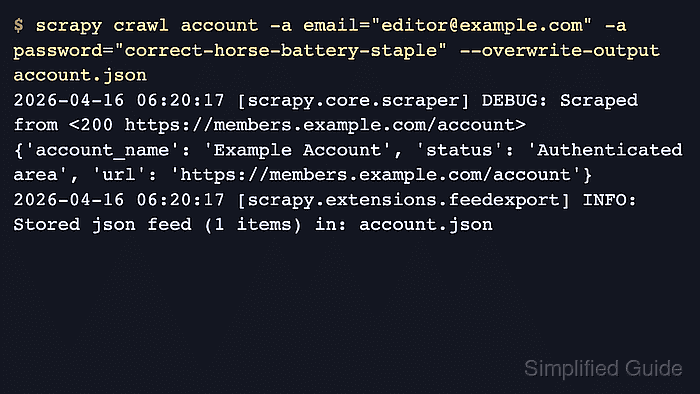
$ scrapy crawl account -a email="editor@example.com" -a password="correct-horse-battery-staple" --overwrite-output account.json
##### snipped #####
2026-04-22 06:20:17 [scrapy.downloadermiddlewares.redirect] DEBUG: Redirecting (302) to <GET https://members.example.com/account> from <POST https://members.example.com/login>
2026-04-22 06:20:18 [scrapy.core.scraper] DEBUG: Scraped from <200 https://members.example.com/account>
{'account_name': 'Example Account', 'status': 'Authenticated area', 'url': 'https://members.example.com/account'}
2026-04-22 06:20:18 [scrapy.extensions.feedexport] INFO: Stored json feed (1 items) in: account.json
Credentials passed with -a password=… can be written to shell history or exposed in process listings, so use a test account or move secret loading into environment variables or a secret manager for real crawls.
- Open the exported file and confirm the item came from the protected page instead of the login form.
$ cat account.json
[
{"account_name": "Example Account", "status": "Authenticated area", "url": "https://members.example.com/account"}
]