How to use Item Loaders in Scrapy
Scraped fields often need the same cleanup rules across several callbacks or source formats. Scrapy Item Loaders keep those transformations beside the item schema while the spider concentrates on selecting records and following links.
An ItemLoader collects extracted values in lists and applies input processors as each value arrives. Output processors run when load_item() builds the item, which makes TakeFirst() suitable for fields that should contain one value.
The Scrapy loader class comes from scrapy.loader, while reusable processors such as MapCompose and TakeFirst come from the separate itemloaders.processors module. The sample page exposes both transformations clearly because each label starts with Name: and each link begins as a relative URL.
Related: How to use Scrapy shell
Related: How to use CSS selectors in Scrapy
Steps to use Item Loaders in Scrapy:
- Create the initial item contract in loader_spider.py.
- loader_spider.py
import scrapy
from itemloaders.processors import MapCompose, TakeFirst
from scrapy.loader import ItemLoader


def normalize_label(value: str) -> str:
    return value.removeprefix("Name:").strip()


class ImageLinkItem(scrapy.Item):
    label = scrapy.Field()
    href = scrapy.Field()
The normalizer removes the known prefix before trimming the remaining label.
Related: How to define item fields in Scrapy - Append the field processors to loader_spider.py.
class ImageLinkLoader(ItemLoader):
    default_input_processor = MapCompose(str.strip)
    default_output_processor = TakeFirst()
    label_in = MapCompose(normalize_label)
label_in replaces the default input processor for only the label field, while TakeFirst() converts each collected single-value list into one item value.
- Append the spider callback that fills one loader for each image link.
class LoaderSpider(scrapy.Spider):
    name = "loader"
    custom_settings = {
        "ROBOTSTXT_OBEY": False,
    }
    start_urls = [
        "https://docs.scrapy.org/en/latest/_static/selectors-sample1.html",
    ]

    def parse(self, response):
        for link in response.css("#images a"):
            loader = ImageLinkLoader(
                item=ImageLinkItem(),
                selector=link,
            )
            loader.add_css("label", "::text")
            loader.add_css(
                "href",
                "::attr(href)",
                MapCompose(response.urljoin),
            )
            yield loader.load_item()
The loader's selector is one anchor element, so ::text and ::attr(href) stay relative to that record. The per-call MapCompose resolves each link against the response URL before the default input processor runs.
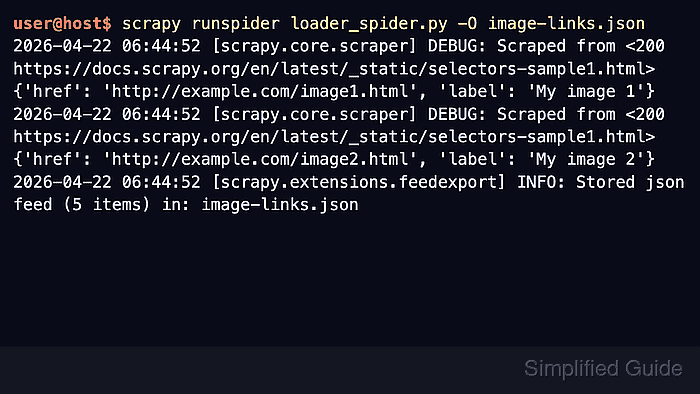
- Run the completed spider to confirm the JSON feed contains normalized labels and absolute links.
$ scrapy runspider --nolog --output -:json loader_spider.py
[
{"label": "My image 1", "href": "http://example.com/image1.html"},
{"label": "My image 2", "href": "http://example.com/image2.html"},
{"label": "My image 3", "href": "http://example.com/image3.html"},
{"label": "My image 4", "href": "http://example.com/image4.html"},
{"label": "My image 5", "href": "http://example.com/image5.html"}
]
Each item should contain a label without the Name: prefix and an absolute href. An empty feed usually means the page markup no longer matches #images a or the request did not return the sample page.