How to set a download timeout in Scrapy
Setting a download timeout in Scrapy prevents a slow or stalled response from holding a downloader slot until the crawl backs up behind it. A shorter limit fails dead endpoints sooner, while a longer limit leaves enough time for large exports, slow APIs, or overloaded sites to finish.
Scrapy reads the project-wide limit from DOWNLOAD_TIMEOUT and can override it per spider through custom_settings or per request through Request.meta["download_timeout"]. The active timeout then controls how long the downloader waits before the request fails and the failure moves into normal errback, stats, and retry handling.
Scrapy 2.15 deprecates the spider download_timeout attribute in favor of DOWNLOAD_TIMEOUT, so per-spider changes belong in custom_settings or update_settings() instead. Timeout handling also depends on the active download handler, and aggressive values can turn healthy but slow responses into DownloadTimeoutError failures that then trigger retry logic or errbacks.
Related: How to configure retries in Scrapy
Related: How to set a download delay in Scrapy
Steps to set a download timeout in Scrapy:
- Open the Scrapy project settings file.
$ vi catalogbot/settings.py
In a default project layout, the file is usually <project_name>/settings.py.
- Set the project-wide timeout in seconds.
DOWNLOAD_TIMEOUT = 5
Current Scrapy releases use 180 seconds when DOWNLOAD_TIMEOUT is unset.
- Confirm the project root is loading the intended timeout.
$ scrapy settings --get DOWNLOAD_TIMEOUT
5
This command shows the project default only and does not include spider-level or request-level overrides.
- Add a spider-specific override through custom_settings when one spider needs a different limit.
import scrapy

class ProductsSpider(scrapy.Spider):
    name = "products"
    custom_settings = {
        "DOWNLOAD_TIMEOUT": 3,
        "RETRY_ENABLED": False,
    }
Related: How to use custom settings in Scrapy
Use custom_settings or update_settings() for per-spider changes in current Scrapy, not the deprecated spider download_timeout attribute.
- Set download_timeout in Request.meta when a single slow request needs more time than the spider or project default.
yield scrapy.Request(
    export_url,
    callback=self.parse_export,
    meta={"download_timeout": 6},
)
The request-level override applies only to that request and does not appear in the startup Overridden settings banner.
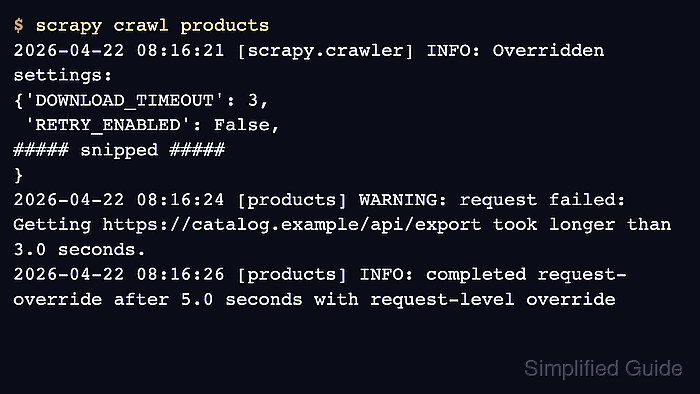
- Run the spider and confirm the crawl log shows the shorter spider timeout and the longer request-level override behaving differently.
$ scrapy crawl products
2026-04-22 08:16:21 [scrapy.crawler] INFO: Overridden settings:
{'DOWNLOAD_TIMEOUT': 3,
 'RETRY_ENABLED': False,
##### snipped #####
}
2026-04-22 08:16:24 [products] WARNING: request failed: Getting https://catalog.example/api/export took longer than 3.0 seconds.
2026-04-22 08:16:26 [products] INFO: completed request-override after 5.0 seconds with request-level override
2026-04-22 08:16:26 [scrapy.statscollectors] INFO: Dumping Scrapy stats:
{'downloader/exception_type_count/scrapy.exceptions.DownloadTimeoutError': 1,
 'downloader/response_status_count/200': 1,
##### snipped #####
}
One timeout failure plus one successful response confirms that the spider default stayed at 3 seconds while the request-level 6 second override applied only to the marked request.