Retries in Scrapy keep a crawl moving through temporary HTTP failures and short-lived network problems without forcing a full rerun of the spider.
Scrapy handles retries in RetryMiddleware. The middleware retries matching response codes and selected download exceptions, tracks the current attempt count in request metadata, and requeues retry attempts after the regular pending requests. Current defaults also lower retry priority slightly, so fresh requests usually stay ahead of retries in the scheduler.
Current Scrapy releases enable retries by default with RETRY_TIMES = 2 and RETRY_HTTP_CODES = [500, 502, 503, 504, 522, 524, 408, 429]. Raise the retry budget carefully because each extra attempt adds request volume and crawl time, and use request-level max_retry_times or dont_retry only when one endpoint needs different behavior from the rest of the project.
Related: How to set a download timeout in Scrapy
Related: How to set a download delay in Scrapy
Steps to configure retries in Scrapy:
- Open the Scrapy project settings file.
$ vi retrydemo/settings.py
In a default project layout the file is usually <project_name>/settings.py.
- Set the project retry policy in settings.py.
RETRY_ENABLED = True
RETRY_TIMES = 3
RETRY_HTTP_CODES = [500, 502, 503, 504, 522, 524, 408, 429]
RETRY_ENABLED is only needed when the project or spider already disabled retries. RETRY_TIMES counts extra attempts beyond the first download, so 3 allows up to four total requests for the same URL.
- Confirm the active retry count from the project root.
$ scrapy settings --get RETRY_TIMES
3
This command shows the active project-level value after the project settings are loaded.
- Confirm the active retryable status-code list from the project root.
$ scrapy settings --get RETRY_HTTP_CODES
[500, 502, 503, 504, 522, 524, 408, 429]
Keep permanent failures such as 404 out of this list unless the target service really uses them as transient overload responses.
- Override the retry budget on a single request when one endpoint needs a different limit.
yield scrapy.Request(
    detail_url,
    callback=self.parse_detail,
    meta={"max_retry_times": 5},
)
max_retry_times takes precedence over RETRY_TIMES for that request only. Set meta={"dont_retry": True} when the request should fail fast instead.
Related: How to use request meta in Scrapy
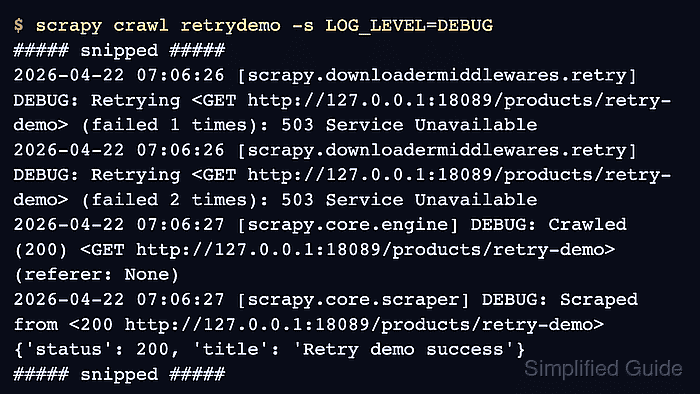
- Run the spider with DEBUG logging and watch the retry lines.
$ scrapy crawl retrydemo -s LOG_LEVEL=DEBUG
##### snipped #####
2026-04-22 07:06:26 [scrapy.downloadermiddlewares.retry] DEBUG: Retrying <GET http://127.0.0.1:18089/products/retry-demo> (failed 1 times): 503 Service Unavailable
2026-04-22 07:06:26 [scrapy.downloadermiddlewares.retry] DEBUG: Retrying <GET http://127.0.0.1:18089/products/retry-demo> (failed 2 times): 503 Service Unavailable
2026-04-22 07:06:27 [scrapy.core.engine] DEBUG: Crawled (200) <GET http://127.0.0.1:18089/products/retry-demo> (referer: None)
2026-04-22 07:06:27 [scrapy.core.scraper] DEBUG: Scraped from <200 http://127.0.0.1:18089/products/retry-demo>
{'status': 200, 'title': 'Retry demo success'}
##### snipped #####
Retry messages are logged at DEBUG level, so long crawls can produce large log files and expose full request URLs in the log stream.
- Check the final crawl stats for retry counters after the spider closes.
2026-04-22 07:06:27 [scrapy.statscollectors] INFO: Dumping Scrapy stats:
{'downloader/request_count': 3,
 'downloader/response_status_count/200': 1,
 'downloader/response_status_count/503': 2,
 'item_scraped_count': 1,
 'retry/count': 2,
 'retry/reason_count/503 Service Unavailable': 2,
##### snipped #####
}
retry/count reports extra attempts beyond the first download. A value of 2 means the request ran three total times before it succeeded.

Mohd Shakir Zakaria is a cloud architect with deep roots in software development and open-source advocacy. Certified in AWS, Red Hat, VMware, ITIL, and Linux, he specializes in designing and managing robust cloud and on-premises infrastructures.


