Setting a download delay in Scrapy slows consecutive requests to the same target so a crawl stays closer to site limits, reduces burst traffic, and makes pagination or API runs less aggressive.
Scrapy applies DOWNLOAD_DELAY to each download slot, which usually maps to one domain unless the project customizes slot assignment. Decimal seconds are supported, and the default randomized pacing still works together with concurrency limits and AutoThrottle.
Current projects created with scrapy startproject already write a one-second delay and a one-request-per-domain limit into settings.py, so tuning usually means changing that existing line instead of adding a duplicate. Older projects that still use the deprecated per-IP concurrency setting can shift pacing from per-domain to per-IP.
Related: How to enable AutoThrottle in Scrapy
Related: How to set concurrent requests in Scrapy
Steps to set a download delay in Scrapy:
- Open the Scrapy project settings file.
$ vi simplifiedguide/settings.py
In a default project layout, the file is usually <project_name>/settings.py.
- Change the existing DOWNLOAD_DELAY line to the pause that the crawler should enforce.
DOWNLOAD_DELAY = 2.0
Current project templates already include that line with a value of 1, and decimal values such as 0.5, 1.5, and 2.5 are valid.
- Check the effective delay that the project is loading.
$ scrapy settings --get DOWNLOAD_DELAY
2.0
Run scrapy settings from the project root that contains scrapy.cfg so Scrapy loads the intended settings module.
- Check whether delay randomization is still enabled for normal crawls.
$ scrapy settings --get RANDOMIZE_DOWNLOAD_DELAY
True
When this prints True, Scrapy waits between roughly half and one and a half times DOWNLOAD_DELAY for the same slot instead of using one fixed interval.
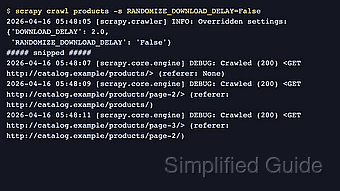
- Run the spider with randomized delay disabled and watch the request timestamps.
$ scrapy crawl products -s RANDOMIZE_DOWNLOAD_DELAY=False -s LOG_LEVEL=DEBUG
2026-04-22 06:55:41 [scrapy.crawler] INFO: Overridden settings:
{'BOT_NAME': 'simplifiedguide',
 'DOWNLOAD_DELAY': 2.0,
 'LOG_LEVEL': 'DEBUG',
 'RANDOMIZE_DOWNLOAD_DELAY': 'False',
 'ROBOTSTXT_OBEY': True}
##### snipped #####
2026-04-22 06:55:44 [scrapy.core.engine] DEBUG: Crawled (200) <GET http://catalog.example/products/> (referer: None)
2026-04-22 06:55:46 [scrapy.core.engine] DEBUG: Crawled (200) <GET http://catalog.example/products/page-2/> (referer: http://catalog.example/products/)
2026-04-22 06:55:48 [scrapy.core.engine] DEBUG: Crawled (200) <GET http://catalog.example/products/starter-plan/> (referer: http://catalog.example/products/)
Turning RANDOMIZE_DOWNLOAD_DELAY off for one run makes the interval easy to read in the log. Restore the default randomized behavior for normal crawls unless a fixed pause is required.
Spider-level download_delay values, spider custom_settings, or higher parallelism can change the observed timing even when the project setting is correct.

Mohd Shakir Zakaria is a cloud architect with deep roots in software development and open-source advocacy. Certified in AWS, Red Hat, VMware, ITIL, and Linux, he specializes in designing and managing robust cloud and on-premises infrastructures.


