How to install scikit-learn on macOS
Machine-learning projects on macOS often share a laptop with notebooks, editors, and several Python runtimes. A project-local virtual environment gives scikit-learn and its numerical dependencies their own package directory, so one experiment does not change another project.
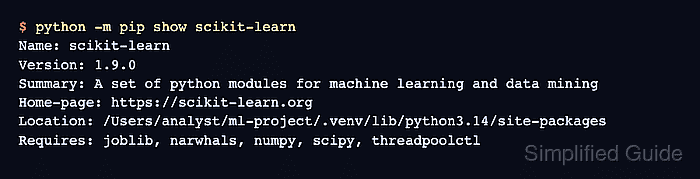
The supported scikit-learn installation path for macOS uses Python 3, venv, and pip. Homebrew can provide the python3 runtime, while pip installs the published scikit-learn wheel plus dependencies such as NumPy and SciPy into the active environment.
Keep the terminal in the project directory before creating .venv, and activate that environment again in each new shell session. A package metadata check plus a small estimator fit confirms that the active interpreter can import sklearn and run model code.
Steps to install scikit-learn on macOS with venv and pip:
- Create a project directory for the scikit-learn environment.
$ mkdir -p ~/ml-project
- Change to the project directory.
$ cd ~/ml-project
- Confirm that Python 3 is available.
$ python3 --version
Python 3.14.6
If python3 is missing, install a user-managed Python runtime first.
Related: Install Python on macOS - Create a virtual environment in .venv.
$ python3 -m venv .venv
The command normally returns no output when the environment is created.
Related: Create a Python virtual environment - Activate the virtual environment in the current shell.
$ source .venv/bin/activate
Activation changes only the current terminal session, so new tabs need the command again.
Related: Activate a Python virtual environment - Confirm that python now resolves from .venv.
(.venv) $ command -v python
/Users/analyst/ml-project/.venv/bin/python
- Confirm that pip belongs to the same virtual environment.
(.venv) $ python -m pip --version
pip 26.1.2 from /Users/analyst/ml-project/.venv/lib/python3.14/site-packages/pip (python 3.14)
Use python -m pip instead of a standalone pip command when several Python runtimes are installed.
- Install scikit-learn in the active environment.
(.venv) $ python -m pip install --upgrade scikit-learn
Collecting scikit-learn
  Using cached scikit_learn-1.9.0-cp314-cp314-macosx_12_0_arm64.whl.metadata (11 kB)
Collecting numpy>=1.24.1 (from scikit-learn)
Collecting scipy>=1.10.0 (from scikit-learn)
Collecting joblib>=1.4.0 (from scikit-learn)
Collecting narwhals>=2.0.1 (from scikit-learn)
Collecting threadpoolctl>=3.5.0 (from scikit-learn)
##### snipped #####
Installing collected packages: threadpoolctl, numpy, narwhals, joblib, scipy, scikit-learn
Successfully installed joblib-1.5.3 narwhals-2.22.1 numpy-2.5.0 scikit-learn-1.9.0 scipy-1.18.0 threadpoolctl-3.6.0
--upgrade asks pip for the newest compatible release visible to the active package index. The exact versions change over time. If pip reports that no matching distribution is available, update Python before trying source builds or compiler flags.
- Confirm that pip recorded scikit-learn inside .venv.
(.venv) $ python -m pip show scikit-learn
Name: scikit-learn
Version: 1.9.0
Summary: A set of python modules for machine learning and data mining
Home-page: https://scikit-learn.org
##### snipped #####
Location: /Users/analyst/ml-project/.venv/lib/python3.14/site-packages
Requires: joblib, narwhals, numpy, scipy, threadpoolctl
Required-by:
The Location path should point inside the project environment, not /Library/Python or the Homebrew base interpreter.
- Check the installed dependency metadata.
(.venv) $ python -m pip check
No broken requirements found.
If this command reports a conflict, recreate the environment or pin compatible package versions before using it for training.
- Run an estimator smoke test through the active interpreter.
(.venv) $ python - <<'PY'
import sklearn
from sklearn.datasets import load_iris
from sklearn.tree import DecisionTreeClassifier

X, y = load_iris(return_X_y=True)
model = DecisionTreeClassifier(random_state=0).fit(X, y)

print(f"scikit-learn: {sklearn.__version__}")
print(f"classes: {model.classes_.tolist()}")
print(f"first prediction: {model.predict([X[0]])[0]}")
PY
scikit-learn: 1.9.0
classes: [0, 1, 2]
first prediction: 0